Free Online Audio Waveform Generator
Upload an audio file and get a waveform video that follows your voice or music. Set the waveform style and colors, add auto captions, and export for Shorts, Reels, TikTok, LinkedIn, or YouTube.
Turn MP3, WAV, or M4A audio into waveform video • Export 9:16, 1:1, and 16:9 from one upload
From raw audio to visual waveform content
Upload audio once and export waveform videos in the right format for each channel.
One audio source. Multiple visual waveform outputs.
How to generate an audio waveform video
Three steps from audio file to a waveform you can post.
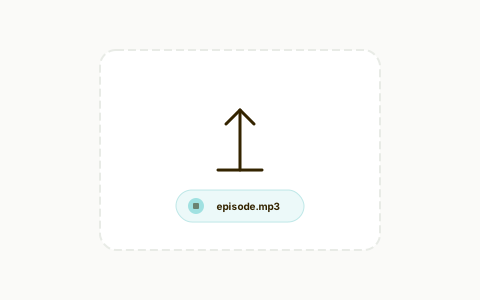
Upload your audio
Import MP3, WAV, M4A, or extracted podcast audio.
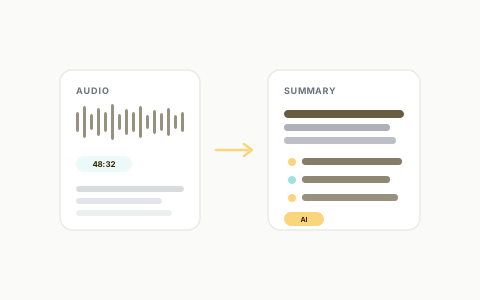
Customize waveform style
Choose waveform colors, bars, animation behavior, subtitle style, and branding. For a more animated, motion-first look, try the sound wave generator.
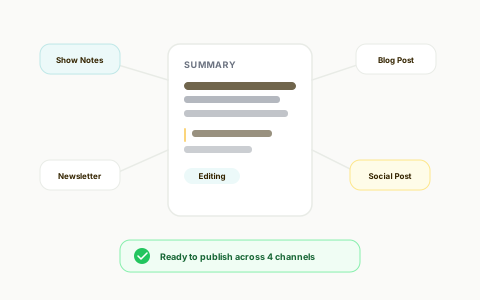
Export and publish
Download platform-ready waveform videos for social and video channels.
See your audio as a waveform in minutes
Turn audio files into waveform video without audio visualizer software or manual motion editing.
Audio Waveform Generator
Generate a waveform that tracks the peaks and quiet parts of your audio, then style it for your brand.
Best podcast audiogram software I've used! Excellent software, great team of developers who are very responsive and helpful! Excellent customer support, and has all the features I need. I've tried all the other big platforms out there, and find Recast's audiogram maker to be the best!

Design Lead @Project Brazen
Improve retention with captions
Captions help viewers understand content when audio is muted.
Auto Captions + Subtitle Styling
Generate captions and apply readable subtitle presets with keyword emphasis for better watch time.
Publish every clip in the right size
Skip manual resizing and channel-specific export headaches.
Multi-Aspect Ratio Exports
Export 9:16, 1:1, and 16:9 waveform videos for Shorts, Reels, TikTok, LinkedIn, and YouTube.
Replace complex audio visualizer workflows
Generate waveform videos, captions, and social formats from one tool.
The Old Way
Traditional workflow
The Recast Way
Streamlined with AI
Without a doubt the best AI software out there. I used to pay somebody $1200 a month to repurpose my material and it rarely came out like I wanted. This tool allows me to take one of my video podcast and the software does the rest. Amazing how good it is at dividing up the content and then cutting it into great looking templates to load on social media. I now have a years worth of posts and it only took me a few hours. Buy it!

CSP - Founder - PRECISE Selling
Go beyond sound waves with full repurposing workflows
Start with sound wave videos, then reuse the same source to edit clips, generate written content, and ship faster as a team.
Transcript-Based Editing
Highlight and delete transcript text to trim video, clean filler words, and keep captions in sync automatically.

AI Filler Word & Pause Removal
Automatically remove filler words like “um,” “uh,” and awkward silences from your audio. Recast cleans up your recordings in seconds—so your content sounds smooth, clear, and professional without manual editing.

Team Workspace
Invite your teammates in seconds and collaborate effortlessly. Share videos, leave feedback, and manage projects together—all from a single, organized workspace

Accurate transcription - 20+ languages
Recast’s AI transcription turns speech into accurate text you can trust. With high-precision support for 20+ languages, your transcripts are instantly ready for editing, subtitles, and captions."

Audio Waveform Generator FAQs
Quick answers before you generate your next audio waveform.
What is an audio waveform? +
An audio waveform is a picture of sound over time. Tall peaks show loud moments and low sections show quiet ones. An animated waveform moves with the audio as it plays.
What does an audio waveform generator do? +
It turns an audio file into a waveform video, so you can post a podcast clip, voiceover, or music snippet on platforms that expect video.
Is the audio waveform generator free? +
You can try Recast for free, with no credit card required, and generate waveform videos during the trial. Check the pricing page for what each plan includes.
Which audio files can I upload? +
You can upload common audio formats such as MP3, WAV, and M4A, or use audio extracted from a podcast recording.
Can I create waveform videos for Shorts, Reels, and TikTok? +
Yes. Recast supports vertical exports and additional aspect ratios for feeds and long-form platforms.
Does the audio waveform generator include captions? +
Yes. Captions are auto-generated and can be styled to improve readability and engagement.
Can I brand my waveform videos? +
Yes. You can apply logo, color palette, font settings, and subtitle styles to keep outputs consistent.
Is this useful for teams publishing weekly podcast content? +
Yes. It is built to help teams quickly turn episode audio into repeatable, channel-ready waveform assets.
Your content is ready. Are you?
Join thousands of marketers turning long videos into daily growth.