Convert Podcast to Video in Minutes
Turn podcast audio into captioned videos without stitching together a video editor, subtitle app, and resizing tool. Add waveforms, captions, and brand styling, then export the right format for every channel.
No video editing timeline required • Built for social distribution
From podcast audio to channel-ready video assets
Upload once and export multiple podcast video formats for every platform.
One audio file. Multiple ready-to-publish videos.
How to convert podcast audio to video
Use this 3-step workflow to publish faster.
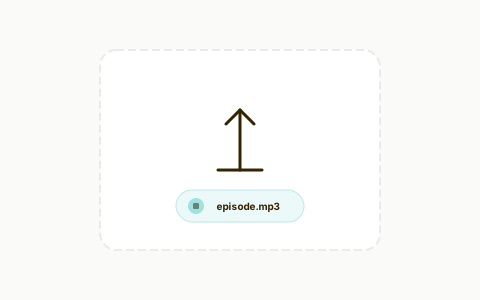
Upload your podcast audio
Import MP3, WAV, or extracted audio from your episode.
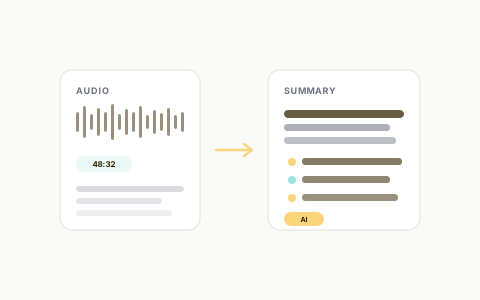
Build the video layer
Choose your visual template, waveform style, captions, and brand treatment.
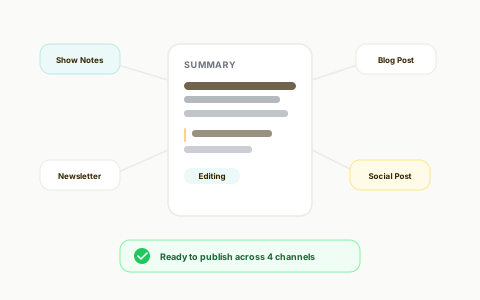
Export and publish
Export the right format for Shorts, Reels, TikTok, LinkedIn, YouTube, or website embeds.
Stop piecing together audio-to-video workflows
Convert podcast audio into usable video without juggling separate editors, subtitle tools, and manual resizing.
Podcast-to-Video Conversion
Turn podcast audio into branded video with waveform visuals, captions, and platform-ready layouts in one workflow.
Best podcast audiogram software I've used! Excellent software, great team of developers who are very responsive and helpful! Excellent customer support, and has all the features I need. I've tried all the other big platforms out there, and find Recast's audiogram maker to be the best!

Design Lead @Project Brazen
Make podcast videos easier to watch on social
Captioned videos are easier to follow in mute-first feeds and easier to reuse across platforms.
Auto Captioning
Generate subtitles automatically, then refine wording and styling so the final video is easier to watch and easier to publish.
Publish one episode in multiple formats
Turn one podcast source into a repeatable stream of vertical, square, and widescreen video assets.
Multi-Aspect Video Export
Export 9:16, 1:1, and 16:9 podcast videos for Shorts, Reels, TikTok, LinkedIn, and YouTube without rebuilding each version.
Replace manual conversion workflows
Create podcast videos, captions, and platform-ready exports from one workspace.
The Old Way
Traditional workflow
The Recast Way
Streamlined with AI
Without a doubt the best AI software out there. I used to pay somebody $1200 a month to repurpose my material and it rarely came out like I wanted. This tool allows me to take one of my video podcast and the software does the rest. Amazing how good it is at dividing up the content and then cutting it into great looking templates to load on social media. I now have a years worth of posts and it only took me a few hours. Buy it!

CSP - Founder - PRECISE Selling
Go beyond sound waves with full repurposing workflows
Start with podcast video, then reuse the same source to edit clips, generate written content, and publish faster as a team.
Transcript-Based Editing
Refine podcast videos by editing transcript text so trimming, cleanup, and caption sync happen in the same workflow.

AI Filler Word & Pause Removal
Clean up filler-heavy moments and awkward pauses so your podcast videos feel tighter before you publish them.

Team Workspace
Keep podcast video production organized across teammates so review, editing, and publishing do not stall after export.

Accurate transcription - 20+ languages
Recast’s AI transcription gives you editable text you can trust, so caption cleanup and transcript-based editing are built into the same workflow."

Podcast To Video FAQs
Quick answers before you convert your next episode.
How do I convert a podcast to video with Recast? +
Upload your podcast audio, choose a visual style with waveform and captions, and export a channel-ready video in minutes.
Which formats can I export for podcast videos? +
You can export vertical, square, and widescreen formats so your podcast video fits Shorts, Reels, TikTok, LinkedIn, and YouTube.
Can I add captions automatically when converting podcast audio to video? +
Yes. Recast generates captions automatically and lets you edit wording, style, and layout before export.
Do I need advanced video editing skills to use this podcast to video tool? +
No. The workflow is template-based and built for creators and marketing teams without timeline-heavy editing.
Can I keep my podcast videos on-brand? +
Yes. You can apply brand colors, fonts, and logo settings so each export matches your brand identity.
Your content is ready. Are you?
Join thousands of marketers turning long videos into daily growth.