Podcast Show Notes Generator
Use a podcast show notes generator to turn long episodes into structured notes, key moments, and publish-ready descriptions in minutes.
Free podcast show notes • Built for long-form episodes
Podcast show notes generator outputs you can publish
Turn one long podcast episode into structured notes and reusable content your team can ship fast.
Episode Summary
A concise recap of the episode’s main narrative and outcomes.
This episode outlines practical ways to structure production workflows and publish consistently from long-form recordings.
Timestamped Chapters
Chapter-style segments with key moments and context.
00:42 Intro + context
08:15 Core discussion
21:12 Implementation examples
Show Notes Draft
Structured notes with sections, highlights, and timestamps.
Section 1: Episode overview
Section 2: Key themes
Section 3: Quotes and resources
Newsletter Brief
A ready-to-edit episode summary for email distribution.
This week’s episode highlights practical tactics you can apply immediately to improve your content production workflow.
Social Post Pack
Short post variants generated from show notes highlights.
LinkedIn: Episode highlights in 3 points...
X: Biggest takeaway from this conversation...
Threads: Notes we’ll apply this week...
Blog Outline
SEO-friendly article outline generated from episode themes.
H2: Why structured show notes matter
H2: Notes workflow by step
H2: Channel repurposing examples
H2: Team implementation plan
One episode in. Multiple show-notes-ready outputs.
How to use a podcast show notes generator
A straightforward 3-step workflow for faster show notes publishing.
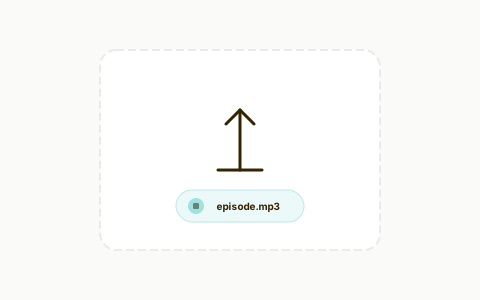
Upload your episode
Import podcast audio, video, or transcript source.
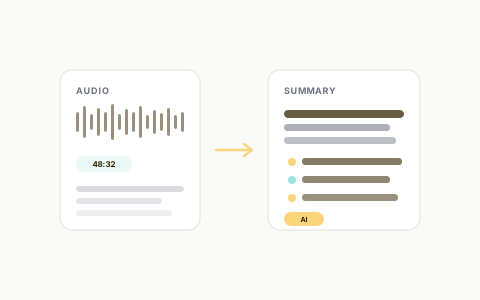
Generate show notes
Create structured notes, summaries, and key moments automatically.
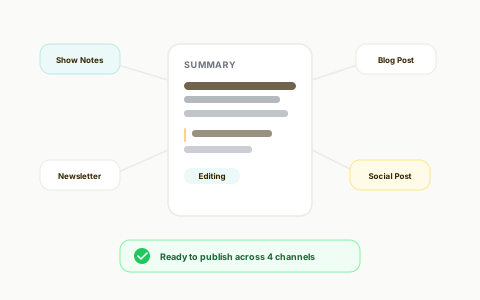
Edit and publish
Refine tone and formatting, then publish to your podcast channels.
Create show notes for long episodes faster
Turn hour-long conversations into structured notes without manual drafting.
Podcast Show Notes Generator for Long Episodes
Generate complete show notes drafts from long podcast recordings in minutes.
Publish cleaner, easier-to-scan episode notes
Make each episode easier to navigate with clearer structure.
Chapter + Key Moment Extraction
Capture highlights, sections, and timestamped moments so listeners can jump to what matters.
Go beyond show notes when you're ready
Start with notes, then expand into broader content repurposing from the same source.
From Show Notes to Clips, Captions, and Posts
Use the same transcript and highlights to create short clips, subtitle-ready exports, and social copy.
Use a real editor, not just a notes box
Marketing teams can move from notes generation to production in one workflow.
Transcript-Based Video Editor for Marketing Teams
Trim moments by editing text, auto-generate captions, reframe for vertical formats, and publish channel-ready assets.
Replace manual drafting and scattered tools with one podcast show notes generator
Generate, structure, and repurpose episode notes from one workflow instead of stitching tools together.
The Old Way
Traditional workflow
The Recast Way
Streamlined with AI
Without a doubt the best AI software out there. I used to pay somebody $1200 a month to repurpose my material and it rarely came out like I wanted. This tool allows me to take one of my video podcast and the software does the rest. Amazing how good it is at dividing up the content and then cutting it into great looking templates to load on social media. I now have a years worth of posts and it only took me a few hours. Buy it!

CSP - Founder - PRECISE Selling
Features that make podcast show notes accurate and publish-ready
Purpose-built capabilities for structured notes, clearer insights, and faster distribution.
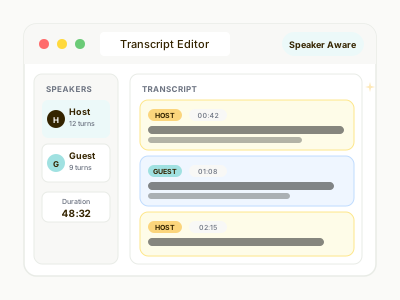
Speaker-Aware Transcripts
Separate speakers clearly so show notes preserve context and narrative flow.
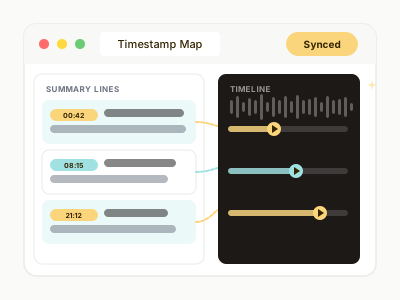
Timestamped Output
Attach moments to time markers so listeners can jump from notes to source audio instantly.
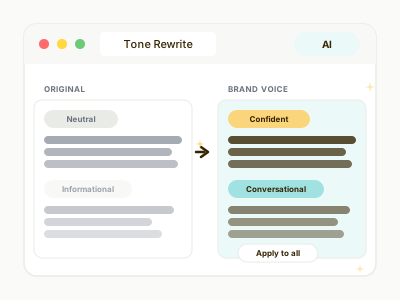
Brand Voice Rewrite
Refine show notes for newsletter, blog, and social tone without rewriting from scratch.
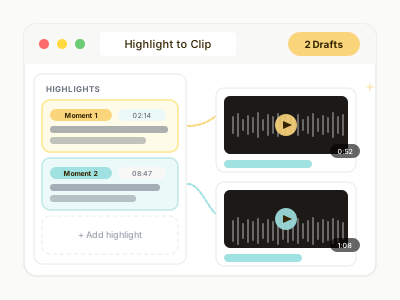
Clip Drafts from Highlights
Convert high-signal show notes points into editable short-video drafts in the same workflow.
Podcast Show Notes Generator FAQs
Quick answers before you generate notes for your next episode.
How does this podcast show notes generator work? +
Upload your podcast audio, video, or transcript, generate AI show notes, and get structured outputs like episode summaries, timestamps, and key takeaways that you can edit before publishing.
Can it handle long podcast episodes? +
Yes. It is designed for long-form episodes and interviews, so you can create complete show notes from hour-long recordings without manual drafting.
Can I edit show notes before publishing? +
Yes. You can refine tone, length, formatting, and section structure so notes match your audience and publishing style.
Can I repurpose show notes into other content? +
Yes. You can turn generated notes into newsletter briefs, social posts, blog outlines, and clip drafts from the same source.
Do I need a separate transcription tool? +
No. Recast includes transcript-driven workflows, so you can move from transcript to show notes to repurposed outputs in one platform.
Your content is ready. Are you?
Join thousands of marketers turning long videos into daily growth.