Video Trimmer
Easily trim your videos online for free with Recast Studio. Remove unwanted sections, cut to the perfect length, and export in seconds—no downloads or editing experience required.
From one long video to every channel
Your marketing team can create clips, captions, and audiograms — then post them directly to social media without waiting on a video editor.
One recording. Multiple assets. Published directly to every channel.
One recording. Every format. Every channel.
Upload your podcast, webinar, or live event. Recast AI turns it into clips, audiograms, and written content — then publishes directly to every social platform.

Start with video
Find the strongest moments and publish clip-first content where attention is won.
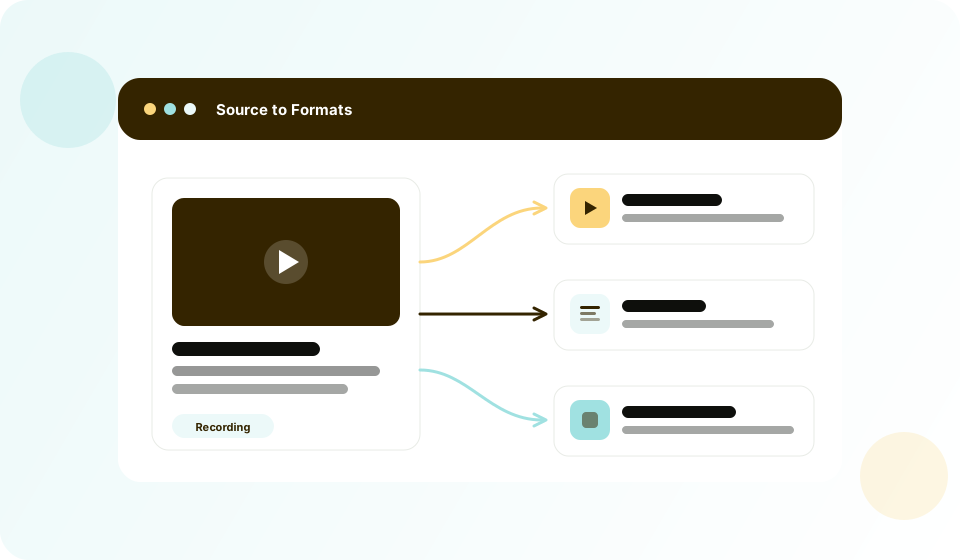
Repurpose from the same source
Use transcript-powered workflows to turn each recording into channel-ready formats quickly.

Publish consistently
Schedule clips to go live across TikTok, Instagram, YouTube, Facebook, LinkedIn, and Twitter directly from Recast. No more exporting, downloading, and re-uploading to each platform.
Create social clips without editing skills
Your team should not wait in a design queue to publish content.
Simple Video Editor Built for Marketers
Clip highlights, add captions, apply brand styles, and export in channel-ready formats, all in an interface anyone can use.
HUGE fan of the Recast experience. It's so easy. I'm about to spend my whole afternoon making clips.

Head of Community & Content at SquadCast.fm
Edit video by editing text
Skip complex timelines and cut faster with transcript-based editing.
Transcript-Based Editing
Highlight and delete transcript text to trim video, clean filler words, and keep captions in sync automatically.
Recast is super simple to use and gave me a professional-looking video within 1 minute. I'm excited to continue trying out new templates and seeing how these videos help our podcast grow!

Co-founder @Ad Reform
Turn the same recording into written content
Once your clip is ready, reuse the transcript to power your content engine.
AI Writing Inside the Editor
Generate blog drafts, show notes, LinkedIn posts, and email copy directly from your video or podcast without starting from scratch.
Squeeze every drop of value from your videos
Start Writing with AIPublish to social media without leaving Recast
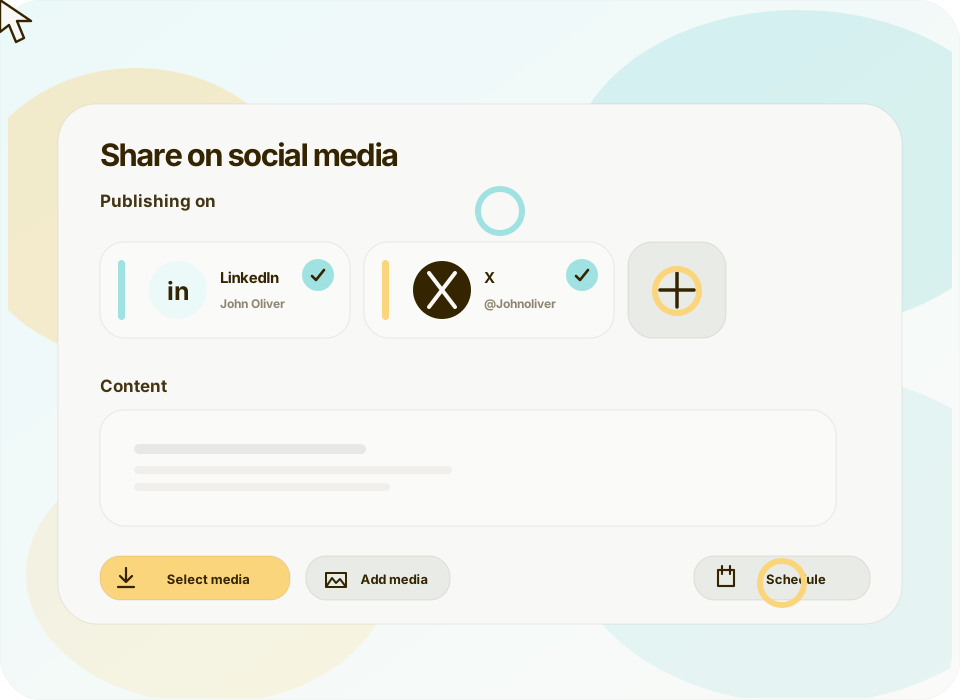
Stop downloading, re-uploading, and juggling scheduling tools. Post or schedule directly from the editor.
Built-In Social Publishing & Scheduling
Connect your TikTok, Instagram, YouTube, Facebook, LinkedIn, Twitter, and more. Post immediately or schedule for the perfect time — all without switching tabs.
From Days to Minutes. Reimagine Your Workflow
Recast replaces fragmented tools with one workflow for editing videos, creating social assets, and generating written content.
The Old Way
Traditional workflow
The Recast Way
Streamlined with AI
Without a doubt the best AI software out there. I used to pay somebody $1200 a month to repurpose my material and it rarely came out like I wanted. This tool allows me to take one of my video podcast and the software does the rest. Amazing how good it is at dividing up the content and then cutting it into great looking templates to load on social media. I now have a years worth of posts and it only took me a few hours. Buy it!

CSP - Founder - PRECISE Selling
Your marketer-friendly video editor with AI built in
If you can edit a text doc, you can edit a video in Recast. Highlight the transcript text you want to keep, and our AI cuts the video for you. Add brand logos, fonts, b-rolls, music and more to your video with a few clicks. Zero timeline headaches.
Auto Reframe
Recast's AI analyzes your video to detect faces and important scenes, then automatically adjusts the frame to keep the focus where it belongs. No tedious manual cropping or resizing.

AI Filler Word & Pause Removal
Automatically remove filler words like “um,” “uh,” and awkward silences from your audio. Recast cleans up your recordings in seconds—so your content sounds smooth, clear, and professional without manual editing.

Team Workspace
Invite your teammates in seconds and collaborate effortlessly. Share videos, leave feedback, and manage projects together—all from a single, organized workspace

Accurate transcription - 20+ languages
Recast’s AI transcription turns speech into accurate text you can trust. With high-precision support for 20+ languages, your transcripts are instantly ready for editing, subtitles, and captions."

Your content is ready. Are you?
Join thousands of marketers turning long videos into daily growth.