Podcast Cover Art: Design Guide, Specs & Tools
Create podcast cover art that stands out. Covers Apple Podcasts and Spotify specs, core design principles, and the best AI tools for fast, professional results.
Your podcast cover art is the first thing a potential listener sees. Before they read your show description or hear a single second of audio, your cover has already made an impression. A bad one loses the click. A strong one builds trust before you’ve said a word.
This guide covers the exact specs, core design principles, and the fastest tools to create podcast cover art that looks professional on every platform.
Podcast cover art specs (quick reference)
Meeting platform requirements isn’t optional. Apple Podcasts and Spotify will reject or degrade artwork that doesn’t meet their standards.
| Requirement | Spec |
|---|---|
| Dimensions | 3000 × 3000 px (preferred), 1400 × 1400 px (minimum) |
| Aspect ratio | 1:1 (square) |
| Resolution | 72 dpi |
| File format | JPG or PNG |
| Color space | RGB |
| Max file size | ~500 KB for most platforms |
Use 3000 × 3000 px as your default. Downscale from there — never upscale.
Core design principles
Keep text short (seven words or fewer)
Podcast covers appear as small thumbnails on mobile. If your title takes two lines to read, it won’t read at all. Use your show name and nothing else. Skip the tagline on the cover.
Use high contrast
Dark background, light text. Or the reverse. Low-contrast designs become unreadable at thumbnail size. Test your design at 60 × 60 px before finalizing it.
Avoid microphone imagery
Microphones are the most overused element in podcast cover art. They signal “podcast” but tell the listener nothing about your show. Use imagery that reflects your topic instead.
Consistent branding across episodes
If you produce episode-specific covers, the series name, colors, and fonts should stay consistent. Listeners should recognize your show before they read the title.
Blend type and imagery carefully
Place text in the negative space of your image. Use overlays or subtle shadows to keep the font readable. The image and the type should work together, not compete.

Minimal designs with high-contrast text stand out in crowded podcast directories.
Mobile readability test
Most listeners discover podcasts on a phone. Shrink your cover to postage-stamp size. Can you still read the title? Is the key visual still clear? If not, simplify.

High-contrast, large typography stays readable at any screen size.
Tools to create podcast cover art
Jalp AI — fastest AI-generated cover art
Jalp AI’s podcast cover art generator creates cover art directly from your podcast details. Enter your podcast title, description, and category — Jalp’s AI generates cover options matched to your show’s topic and tone. No design skills or template fiddling required. It’s the fastest path from “I need a cover” to a ready-to-upload image.
Canva — good for manual design
Canva’s podcast cover templates are easy to customize with drag-and-drop. Useful if you’re already in Canva for other design work or want hands-on control over every element. More manual than Jalp but widely accessible.
Adobe Creative Suite — for professional designers
Photoshop and Illustrator give you full control over every pixel. Worth it if you have design skills and time. Unnecessary if you want to move fast.
How to create podcast cover art with Jalp AI
- Go to Jalp AI’s cover art generator. Open jalp.ai/tools/ai-podcast-cover-art-generator.
- Enter your podcast details. Fill in your podcast title, a short description of what the show covers, and your podcast category (e.g., Business, True Crime, Health).
- Generate and review options. Jalp AI produces cover art options based on your inputs — topic, tone, and category inform the visual style.
- Download and export. Save your chosen cover at 3000 × 3000 px before uploading to your podcast host.
Common mistakes to avoid
- Too much text. If your cover needs more than your show name (and maybe a tagline), simplify. Every word added is readability lost.
- Low-resolution exports. Always export at 3000 × 3000 px. Platforms will scale it down — never up.
- Inconsistent episode art. Episode-specific covers should share the same visual DNA as your series cover. Treat it like a brand system.
- Generic stock photos. A generic image of a city skyline or a handshake says nothing about your show. Use imagery tied directly to your topic.
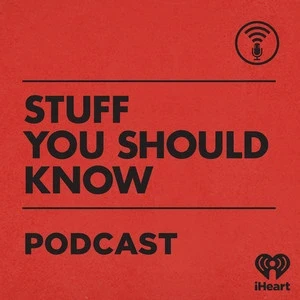
Adaptable typography and a clear color scheme make a cover work across every platform size.
Already have a podcast? Get more out of every episode.
If you’re searching for cover art, you have a show worth promoting. Recast Studio helps you repurpose each episode into audiograms, short social clips, show notes, and blog posts — automatically. One recording, many formats.
Final word
Podcast cover art is a small investment compared to the time you put into recording and editing. Get the specs right, keep the design clean, and test it at thumbnail size. If you want to move fast, Jalp AI generates professional cover art from just your podcast title, description, and category — and you can have a publish-ready image in minutes.