Type something to search...

Castmagic Alternative for Video Clips Recast Studio vs Castmagic: features, limits and prices

Castmagic transcribes a recording and drafts a large set of written content from it: show notes, newsletters, blog articles and social posts, with captioned clips, audiograms and carousels made in its Studio. Recast Studio starts from the video side: a clip editor with AI clip suggestions, reframing, layers and your own fonts, plus written drafts from the same transcript. This page says where each one is the better choice.

Try Recast Free

60 free credits, one time • No credit card required

What Recast Studio makes from one recording

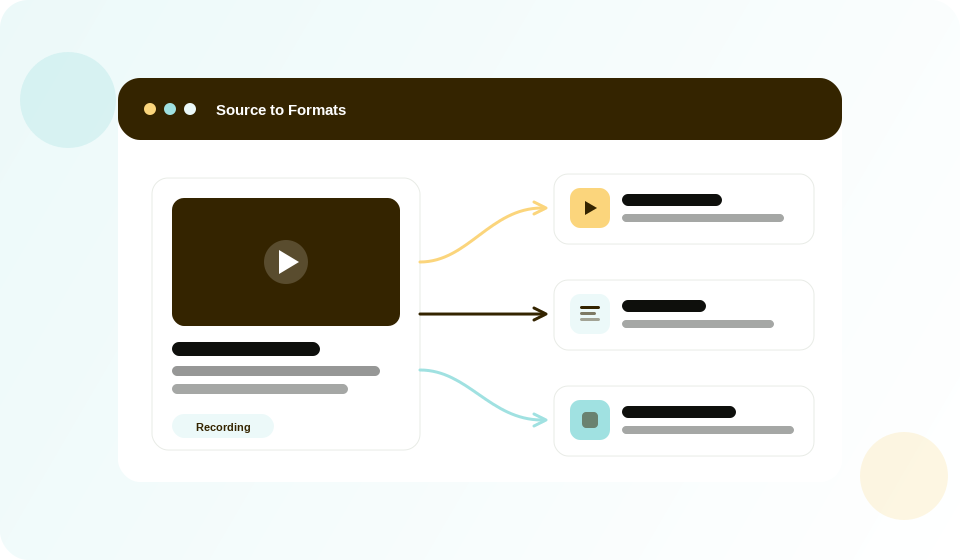
Upload a webinar, podcast or interview once, or import it from YouTube. These are sample clips and audiograms made in Recast Studio, in the three shapes it exports.

Webinar Clip
Podcast Clip
Podcast Audiogram
Podcast Clip
Podcast Audiogram
Testimonial

One recording. Clips and audiograms in 16:9, 9:16 and 1:1.

Castmagic vs Recast Studio

Castmagic or Recast Studio: which one fits the job

Castmagic and Recast Studio both take a recording you already have and return clips, audiograms and written drafts. They are built around different things: Castmagic around the transcript and everything written from it, Recast Studio around the video clip and how it is edited.

What Castmagic is and who it suits

Castmagic (castmagic.io) calls itself an AI-powered content operating system for content teams, agencies and marketers. You paste a link, upload a file or point it at an RSS feed, and it transcribes the recording with speaker labels in 60+ languages. From that transcript it drafts show notes, newsletters, blog articles, LinkedIn posts, X threads, YouTube descriptions, meeting recaps and more. Its site counts over 130 tools, and most of them produce text. Recurring prompts run the same set of drafts on every new recording, and a brand voice setting shapes the wording.

Its Studio covers the visual side: captioned clips in 9:16, 1:1, 4:5 and 16:9, audiograms for audio-only episodes, and image carousels. Around that sit shared spaces, a content pipeline with statuses and comments, an API, a Claude connector and a chatbot for your website that answers from your episodes. Its site names podcasters, agencies, B2B marketing teams, coaches and sales teams among its users.

Where Castmagic is the better choice

  • Written content is your main output: newsletters, show notes, blog articles, email sequences
  • You want the same set of drafts made for every new episode, pulled from an RSS feed
  • You work from links more than files: its site lists Spotify, Apple Podcasts, YouTube, Zoom, Loom and Google Drive among its sources
  • You process many hours: its entry plan lists 30 transcribed hours, with unlimited clips and audiograms on every plan
  • You need translation, or transcripts exported as SRT, VTT, PDF or DOCX
  • You build on an API, Zapier or a Claude connector
  • You need a stated number of seats: its Team plan includes 5, with more sold per seat

If one of these is your main need, Castmagic is the better fit, and Recast Studio does not try to replace it there.

Where Recast Studio fits

Recast Studio fits when the video is the main thing you publish and the written drafts support it. It is a clip editor first. The AI Clip Generator suggests moments from the recording, Auto Reframe turns them into vertical or square video, and you trim a clip by deleting transcript text. Each clip is built in layers: animated captions, B-roll, images, shapes, a soundwave and a progress bar, with your logo and fonts you upload yourself. Clips come out in 16:9, 9:16 and 1:1, and an audio-only recording becomes an audiogram. The same transcript drafts show notes, blog posts, social posts and summaries on every plan.

  • The clips are the deliverable, and they need B-roll, a logo and your own fonts
  • The person making them is a marketer, not a video editor
  • You want to post or schedule to social channels from the same tool
  • You process up to about two and a half hours of recordings a month
  • You want to run a real recording through it before paying

On the Professional plan you post or schedule clips to TikTok, Instagram, YouTube, Facebook, LinkedIn and X from Recast Studio. On the other plans you download the files. Castmagic's clip and audiogram pages describe exporting the file and posting it yourself.

What it costs, worked out

Recast Studio publishes its rate: 1 credit for each minute of recording you upload. A 60-minute webinar uses 60 credits. Starter is $17 a month for 150 credits, which covers two 60-minute recordings with 30 credits left. Professional is $37 a month for 360 credits, which covers six, at about $6.17 each.

Castmagic's entry plan, Hobby, is $29 a month, or $239 a year, and lists 30 transcribed hours. So up to 150 minutes of recordings a month, Recast Studio Starter is the lower price. Above that, Castmagic Hobby costs less than Recast Studio Professional and lists far more hours. If volume is what you are buying, Castmagic wins on price.

What Recast Studio does not do

Recast Studio is software your team runs, not a done-for-you service. It does not record, host or run webinars or events. Direct publishing needs the Professional plan. Exports on the Free Trial carry a watermark, and a recording longer than the trial's 60 credits cannot be partly processed on it.

Other comparison pages

If neither tool fits, the comparison hub lists every page of this kind. The closest neighbours are PodSqueeze, another tool built around podcast show notes; Descript, a full editor with recording; Opus Clip, an AI clipping tool; Goldcast, a B2B webinar and events platform with its own repurposing tool; and Riverside, a recording platform that also edits and clips.

A customer who compared the two

Gina (Yeagley) Young compared Opus Clip, Castmagic and Recast Studio on long webinars and audio in January 2024, and posted the review below. It is one customer's result on her own recordings, and both products have changed since then. Run one of your own recordings through each before you decide.

Twitter
0

Compared Opus Clip, castmagic and @recast_studio to break down long webinars, audio in a variety of formats and the third one did best at pulling the exciting highlights and a clean, professional look we need!


For marketing teams: three questions that decide between Castmagic and Recast Studio

A B2B marketing team usually has the webinar or podcast recording already. Which tool fits comes down to what the team publishes, how much it records, and who reviews and posts.

Is your main output written or video?

Is your main output written or video?

List what you published from your last three recordings.

  • Mostly newsletters, recap posts and email sequences: Castmagic drafts a larger written set and can run it on every new recording
  • Mostly captioned clips for LinkedIn, YouTube and Reels: Recast Studio is built around editing the clip, with Auto Reframe, B-roll, a logo and custom fonts
  • Both: run the same recording through each tool and compare the finished clip and the finished draft
How many minutes do you record a month?

How many minutes do you record a month?

Recast Studio counts 1 credit per upload minute.

  • Two 60-minute webinars: 120 credits, inside Starter at $17 a month (150 credits)
  • Four 60-minute webinars and four 30-minute podcast episodes: 360 credits, which is Professional at $37 a month
  • More than that: Professional has 600 and 900 credit tiers at $58 and $87 a month

Castmagic's plans list transcribed hours as a library total: 30 on Hobby ($29 a month), 100 on Starter ($69) and 400 on Team ($199). At high volume Castmagic lists more hours for each dollar.

Who reviews, and who posts?

Who reviews, and who posts?

  • Castmagic: the Team plan includes 5 seats, and its content pipeline moves each draft through statuses, with comments and mentions
  • Recast Studio: the homepage lists a team workspace for sharing videos and leaving feedback. Seats for teammates are an add-on to a plan, arranged by contacting Recast
  • Posting: Recast Studio's Professional plan posts or schedules to TikTok, Instagram, YouTube, Facebook, LinkedIn and X. On Starter you download the files

Recast Studio is software your team runs, not a done-for-you service: a person on your team picks the clips and edits the drafts.

Castmagic vs Recast Studio

Castmagic features, limits and prices are from castmagic.io, checked on 25 November 2026. Recast Studio figures are from the Recast pricing page.

What you start from

Castmagic
A pasted link (YouTube, Spotify, Apple Podcasts and others), a file upload, a connected Zoom, Loom or Google Drive account, or an RSS feed
Recast Studio
A finished recording you upload or import from YouTube: podcast, webinar or interview, as audio or video

What you get out

Castmagic
A speaker-labelled transcript and a large set of written drafts, plus captioned clips, audiograms and image carousels
Recast Studio
Short clips, audiograms and captioned videos in 16:9, 9:16 and 1:1, plus written drafts

Written outputs

Castmagic
Show notes, newsletters, blog articles, LinkedIn posts, X threads, YouTube descriptions, meeting recaps and more; its site counts over 130 tools
Recast Studio
Social posts, blog posts, show notes and summaries on every plan

Custom prompts and brand voice

Castmagic
Custom and community prompts on every plan; recurring prompts run on each new recording; a brand voice setting
Recast Studio
Custom prompts on Starter and Professional, not on the Free Trial

Video clips

Castmagic
Studio flags moments in the transcript and cuts captioned clips in 9:16, 1:1, 4:5 and 16:9 on a multi-clip timeline; unlimited on every plan
Recast Studio
AI Clip Generator suggests clips; Auto Reframe for vertical and square; trim by deleting transcript text; AI filler word and silence removal

Captions

Castmagic
Word-by-word captions in a set of styles, with adjustable colour and position
Recast Studio
Animated captions on every plan, kept in sync when you edit the transcript

Audiograms

Castmagic
✅ Waveform video with cover art and captions; unlimited on every plan
Recast Studio
✅ Audiograms from audio-only recordings, with a soundwave layer and captions

Brand styling and editing

Castmagic
Caption style, colour and position; cover art on audiograms; carousels you style to your brand
Recast Studio
Logo, custom font upload, layer animation, and layers for B-roll, images, shapes and a progress bar

Languages

Castmagic
Transcription in 60+ languages, with translation
Recast Studio
Transcription in 20+ languages

Publishing

Castmagic
Its home page says you can publish or export from one dashboard and names no networks; its clip and audiogram pages describe downloading the file
Recast Studio
Post or schedule to TikTok, Instagram, YouTube, Facebook, LinkedIn and X on Professional; download on the other plans

Imports and integrations

Castmagic
Zoom, Google Drive, Zapier, RSS and YouTube, TikTok and Instagram import on every plan; API access on Starter and Team; a Claude connector
Recast Studio
Import from YouTube; direct publishing to six social networks on Professional

Team seats

Castmagic
Hobby up to 3 seats, Starter up to 5; Team includes 5 seats, with more at $19 a month each, or $159 a year
Recast Studio
Team workspace for sharing videos and leaving feedback; seats for teammates are an add-on, arranged by contacting Recast

Pricing model

Castmagic
Flat plans with a library total of transcribed hours; more hours can be bought; clips, audiograms and AI drafts are not metered
Recast Studio
Credits: 1 credit = 1 minute of uploaded recording, plus a monthly cap on export minutes

Free tier

Castmagic
No free plan on its pricing page; its clip generator FAQ says plans start at $29 a month
Recast Studio
Free Trial: 60 credits, one time, no credit card; 5 export minutes a month, 1 minute per video

Watermark

Castmagic
None on exported clips and audiograms
Recast Studio
On Free Trial exports only; none on paid plans

Entry paid plan

Castmagic
Hobby: $29 a month, or $19 a month billed annually ($239). 30 transcribed hours, 3 spaces, 50GB storage
Recast Studio
Starter: $17 a month, or $14 a month billed yearly ($170). 150 credits and 300 export minutes a month, 15GB storage

Next plan up

Castmagic
Starter: $69 a month, or $48 a month billed annually ($579). 100 transcribed hours, 10 spaces, 250GB storage, API access
Recast Studio
Professional: from $37 a month, or $26 a month billed yearly ($310). 360 credits and 600 export minutes a month, 50GB storage, direct social publishing

Larger plans

Castmagic
Team: $199 a month, or $139 a month billed annually ($1,669). 400 transcribed hours, 25 spaces, 1TB. Business & Scale: from $999 a month, or from $699 a month on annual billing
Recast Studio
Professional credit tiers: 600 credits at $58 a month and 900 credits at $87 a month

Best for

Castmagic
Teams whose main output is written content from many hours of recordings, with clips alongside
Recast Studio
Marketing teams whose main output is branded clips and audiograms, with written drafts from the same recording
✅ Supported ❌ Not supported ⚠️ Partial / Limited

Create social clips without editing skills

Your team should not wait in a design queue to publish content.

Simple Video Editor Built for Marketers

Clip highlights, add captions, apply brand styles, and export in channel-ready formats, all in an interface anyone can use.

Trustpilot

HUGE fan of the Recast experience. It's so easy. I'm about to spend my whole afternoon making clips.


Arielle Nissenblatt
Arielle Nissenblatt

Head of Community & Content at SquadCast.fm

Edit video by editing text

Skip complex timelines and cut faster with transcript-based editing.

Transcript-Based Editing

Highlight and delete transcript text to trim video, clean filler words, and keep captions in sync automatically.

Trustpilot

Recast is super simple to use and gave me a professional-looking video within 1 minute. I'm excited to continue trying out new templates and seeing how these videos help our podcast grow!


Landon Bennett
Landon Bennett

Co-founder @Ad Reform

Turn the same recording into written content

Once your clip is ready, reuse the transcript to power your content engine.

AI Writing Inside the Editor

Generate blog drafts, show notes, LinkedIn posts, and email copy directly from your video or podcast without starting from scratch.

Squeeze every drop of value from your videos

Start Writing with AI

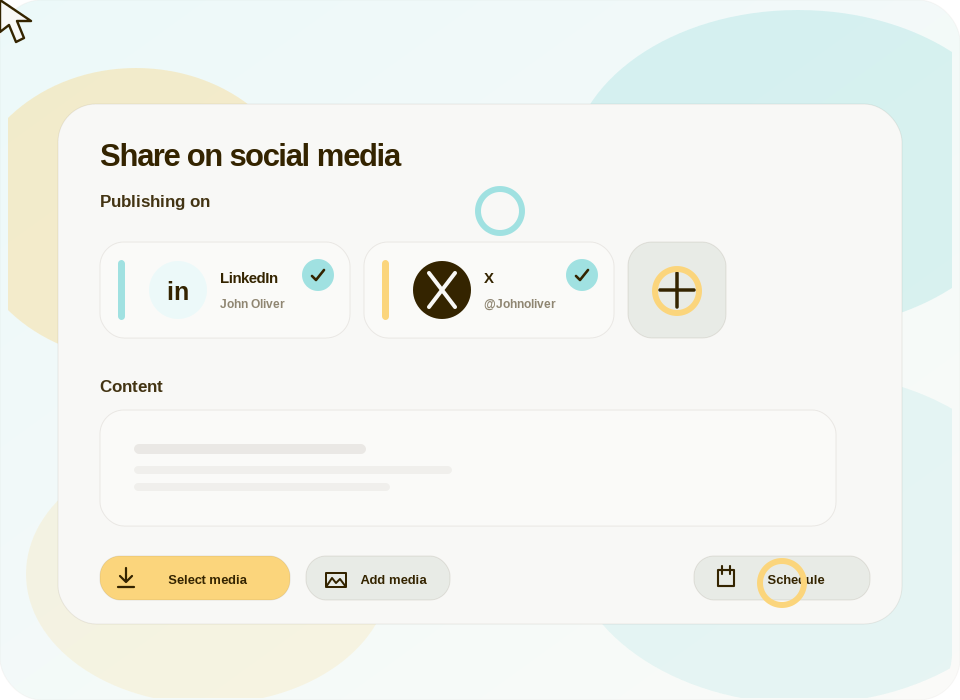
Publish to social media without leaving Recast

Stop downloading, re-uploading, and juggling scheduling tools. Post or schedule directly from the editor.

Built-In Social Publishing & Scheduling

Connect your TikTok, Instagram, YouTube, Facebook, LinkedIn, Twitter, and more. Post immediately or schedule for the perfect time — all without switching tabs.

Built-In Social Publishing & Scheduling

From Days to Minutes. Reimagine Your Workflow

Recast replaces fragmented tools with one workflow for editing videos, creating social assets, and generating written content.

The Old Way

Traditional workflow

Watch full recording to find moments 2-4 Hours
Send clips to editor with instructions 30 Min
Wait for first draft 2-3 Days
Request revisions & wait again 1-2 Days
Export & upload to each platform 1-2 Hours
Total time: 4-6 Days
Production cost: $2000-$5000

The Recast Way

Streamlined with AI

Upload your video to Recast 2 Min
AI finds the best moments automatically 3 Min
Review & customize your clips 5 Min
Publish to social or export with one click 1 Min
Total time: ~10 Minutes
Production cost: From $17/mo
Trustpilot

Without a doubt the best AI software out there. I used to pay somebody $1200 a month to repurpose my material and it rarely came out like I wanted. This tool allows me to take one of my video podcast and the software does the rest. Amazing how good it is at dividing up the content and then cutting it into great looking templates to load on social media. I now have a years worth of posts and it only took me a few hours. Buy it!


Brian Sullivan
Brian Sullivan

CSP - Founder - PRECISE Selling

Ready to Transform Your Content?

Your content is ready. Are you?

Join thousands of marketers turning long videos into daily growth.

Get Started for Free

Your marketer-friendly video editor with AI built in

video first, content everywhere

If you can edit a text doc, you can edit a video in Recast. Highlight the transcript text you want to keep, and our AI cuts the video for you. Add brand logos, fonts, b-rolls, music and more to your video with a few clicks. Zero timeline headaches.

Auto Reframe

Recast's AI analyzes your video to detect faces and important scenes, then automatically adjusts the frame to keep the focus where it belongs. No tedious manual cropping or resizing.

Auto Reframe

AI Filler Word & Pause Removal

Automatically remove filler words like “um,” “uh,” and awkward silences from your audio. Recast cleans up your recordings in seconds—so your content sounds smooth, clear, and professional without manual editing.

AI Filler Word & Pause Removal

Team Workspace

Invite your teammates in seconds and collaborate effortlessly. Share videos, leave feedback, and manage projects together—all from a single, organized workspace

Team Workspace

Accurate transcription - 20+ languages

Recast’s AI transcription turns speech into accurate text you can trust. With high-precision support for 20+ languages, your transcripts are instantly ready for editing, subtitles, and captions."

Accurate transcription - 20+ languages

Castmagic alternative: common questions

What is Castmagic? +

Castmagic (castmagic.io) is an AI content platform that turns audio and video recordings into written content. You paste a link, upload a file or connect an RSS feed, and it returns a speaker-labelled transcript plus drafts such as show notes, newsletters, blog articles and social posts. Its Studio also makes captioned clips, audiograms and image carousels. Its site aims it at podcasters, agencies and marketing teams. Recast Studio is a separate product from a different company, and this page compares the two.

How much does Castmagic cost? +

On castmagic.io on 25 November 2026 there are three listed plans. Hobby is $29 a month, or $19 a month billed annually ($239 a year), with 30 transcribed hours. Starter is $69 a month, or $48 a month billed annually ($579 a year), with 100 hours and API access. Team is $199 a month, or $139 a month billed annually ($1,669 a year), with 400 hours and 5 seats; extra seats are $19 a month or $159 a year each. A custom Business & Scale plan starts from $999 a month, or from $699 a month on annual billing. Castmagic counts hours as a library total and sells extra hours. Prices change, so check its pricing page before you buy.

Does Castmagic make video clips? +

Yes. Castmagic's site says its Studio flags moments in the transcript and cuts captioned clips in 9:16, 1:1, 4:5 and 16:9, with word-by-word captions and a multi-clip timeline for trimming and reordering. Audio-only episodes become audiograms. Its pricing page lists media clipping and audiogram generation as unlimited on every plan. Recast Studio's editor lists controls that Castmagic's clip pages do not mention: Auto Reframe, layers for B-roll, images, shapes and a progress bar, and custom font upload.

Does Castmagic have a free plan or a free trial? +

Castmagic's pricing page lists paid plans only, and the FAQ on its clip generator page says plans start at $29 a month. Some pages on its site carry a button that says you can try it free, but the pricing page does not state trial terms, so check what you are offered at sign-up. Recast Studio has a Free Trial with 60 credits, given once, with no credit card. That covers one recording of up to 60 minutes. Trial exports are capped at 5 minutes a month and 1 minute per video, and they carry a watermark.

What is the best Castmagic alternative for video clips? +

It depends on what you need from the clip. If you want a marketer to control how the clip looks, with reframing, B-roll, a logo, your own fonts and animated captions, and then post it to TikTok, Instagram, YouTube, Facebook, LinkedIn and X from the same tool, Recast Studio is built for that and still drafts show notes and posts from the same recording. If you only want clips and no written content, a clipping tool such as Opus Clip is also worth a look. If written content matters most, stay with Castmagic.

Is Recast Studio cheaper than Castmagic? +

Only at low volume. Recast Studio counts 1 credit per minute of uploaded recording. Starter is $17 a month for 150 credits, so two 60-minute webinars cost $17 with 30 credits left. Castmagic's entry plan, Hobby, is $29 a month and lists 30 transcribed hours. If you process more than 150 minutes a month, Recast Studio Professional is $37 a month for 360 credits, which is more than Castmagic Hobby for fewer hours. Prices were checked on 25 November 2026.

Is Recast Studio a full replacement for Castmagic? +

No. Castmagic has a much larger set of written outputs, recurring prompts that run on every new recording, RSS import, translation, an API, a Claude connector and a website chatbot. Recast Studio replaces it only when the clips are the main output: it is built around how a clip is framed, styled and published, and it writes show notes, blog posts, social posts and summaries from the same transcript.

Does Recast Studio write show notes and blog posts like Castmagic? +

Yes, in a smaller set. Recast Studio drafts show notes, blog posts, social posts and summaries from the recording on every plan, and custom prompts are available on Starter and Professional. Castmagic lists many more written formats and can run a saved set of prompts on each new recording automatically. Plan for a person to edit any AI draft before it is published.

Is Castmagic or Recast Studio better for a marketing team? +

Start from what the team publishes. If most of it is written, such as webinar recap posts, newsletters and email sequences, Castmagic drafts more of it and its Team plan includes 5 seats and a content pipeline with statuses and comments. If most of it is captioned clips for LinkedIn and YouTube made by a marketer who is not an editor, Recast Studio is the closer fit, and its Professional plan posts to six social networks. With Recast, seats for teammates are an add-on you arrange by contacting Recast.

Can I use Castmagic and Recast Studio together? +

Yes. Both start from a recording that already exists, so the same file can go into each. A team can keep Castmagic for the written set and upload the recording to Recast Studio for the clips and audiograms. Recast Studio does not record or host the webinar or podcast itself, so the recording comes from whatever platform you already use.

Ready to Transform Your Content?

Your content is ready. Are you?

Join thousands of marketers turning long videos into daily growth.

Get Started for Free