Type something to search...

LinkedIn Video Clips From Webinars, Podcasts and Interviews

Recast cuts captioned clips for LinkedIn out of recordings you already have: webinars, podcast episodes, interviews and customer calls. Upload the file or import the video from YouTube, keep the moments worth posting, and export each one in 16:9, 1:1 or 9:16. All three shapes are inside LinkedIn's video limits. On the Professional plan you can post or schedule to LinkedIn from inside Recast. On the other plans you export the file and upload it yourself.

Start Free

60 free credits, one time • 1 credit = 1 upload minute • 16:9, 1:1 and 9:16 exports

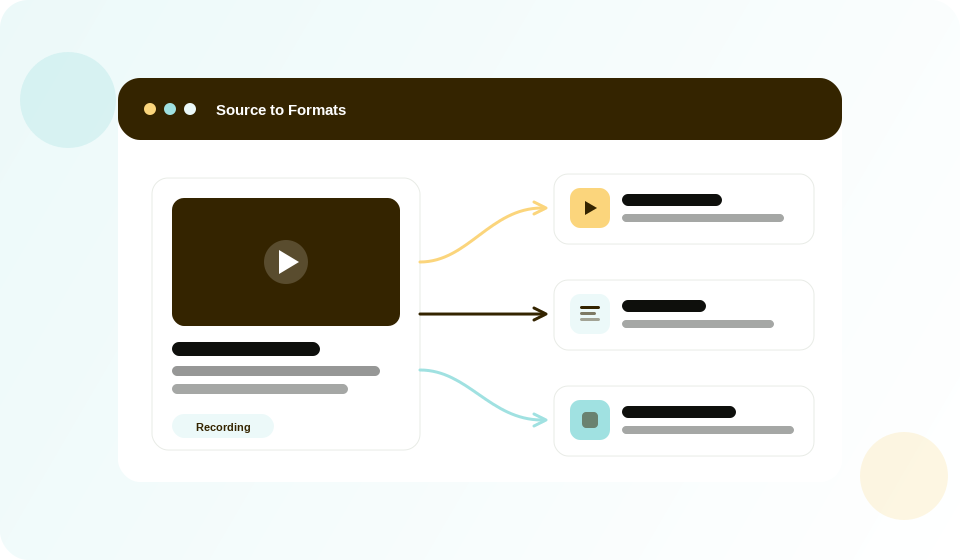
One recording, in the shapes LinkedIn accepts

LinkedIn takes video with an aspect ratio anywhere from 1:2.4 to 2.4:1, so a widescreen, a square and a vertical clip are all accepted. Recast exports the same moment in each of the three, and makes an audiogram when the episode has no video.

These are samples of the formats, not posts of ours. Your clips are cut from your own recording and carry your captions, logo and fonts.

Which recordings make good LinkedIn clips, and what a good clip looks like

Most teams that make video already post it on LinkedIn. In Wistia's State of Video report, which surveyed more than 900 professionals, 81% of teams said they share videos on LinkedIn, ahead of YouTube at 76%. The same report names LinkedIn as the top platform for social clips. The hard part is supply: a steady run of clips needs a steady run of footage, and most teams have that footage sitting in recordings they made for another purpose.

Recordings that clip well

  • Webinar Q&A. A specific question followed by a specific answer makes sense on its own, with no slides needed.
  • Podcast and interview answers. Look for the guest explaining how they did something, giving a number with its context, or describing a mistake and what they would do now.
  • Customer calls and case-study interviews. The before and after, told in the customer's own words.
  • Panels. The moment two speakers disagree and each says why.

Some passages rarely work: a presenter reading slides, the welcome and housekeeping at the start, and any answer that only makes sense if you heard the ten minutes before it. Skip them, even when the topic matters.

What a good LinkedIn clip looks like

  • It starts on the point. Open with the claim, the question or the number. Cut the greeting and the warm-up so the first seconds give a reason to keep watching.
  • It makes one point. A clip that makes one point can be summed up in the first line of the post. If you need two lines to say what it is about, it is two clips.
  • It reads with the sound off. LinkedIn's help says some videos "may play automatically without sound as you scroll through your feed". Captions in the picture are what carry the clip for anyone who has not tapped for sound.
  • It says who is speaking. Someone who does not follow your company needs the speaker's name, role and company to decide whether to listen. Put them on screen with a text layer on the clip, or at the least in the first line of the post.
  • It keeps the edges clear. LinkedIn advises keeping the top, bottom and sides of a video free of key elements, text and logos. Place captions and your logo inside that margin.
  • It is as long as the point needs. LinkedIn allows up to 15 minutes on a member post and 10 on a Page post. That is a limit, not a target.

LinkedIn's video requirements, in short

The table below sets LinkedIn's published limits beside what Recast exports. The figures come from LinkedIn's own help pages, read on 25 November 2026: video sharing troubleshooting for member posts, video specifications for Pages for Page posts, supported media file types, auto captions and closed captions from an SRT file. LinkedIn changes these from time to time, so check them there before a launch.

Company Page or personal profile

They are different posts with different rules.

  • A member post goes out under one person's name, from their own account. LinkedIn's limit is 15 minutes, and a post can be scheduled from 10 minutes to 3 months ahead.
  • A Page post goes out under the company's name. Only a super admin or a content admin of the Page can create it. LinkedIn's limit is 10 minutes, and a post can be scheduled from one hour to three months ahead.

Many teams use both. The Page posts the clip, and the person in it shares it or posts their own copy with a line in their own words. If the speaker is a guest or a customer, send them the file, because the clip is about them and they have their own audience for it.

Recast's pricing page lists LinkedIn among the networks the Professional plan publishes to. That covers both personal profiles and company Pages. A file you export can be uploaded to either.

What Recast does not do

It does not record, host or stream. Recast has no live room, no registration page and no LinkedIn Live feature. It starts when a recording exists.

It is not a service that posts for you. Recast is software your team runs in a browser. The AI suggests moments and writes drafts. A person chooses the clips, checks the captions and decides what goes out. If you want someone else to plan, edit and post, an agency or a freelance editor is the better choice.

It does not promise a number of clips, or views. How many moments are worth posting depends on the recording, and how a post performs depends on LinkedIn and your audience.

Direct publishing needs the Professional plan. On the Free Trial and Starter plans you export the file and upload it to LinkedIn yourself.

The Free Trial is a test, not a supply. It has 60 credits, one time. A recording longer than 60 minutes cannot be partly processed on it. Each exported clip can be up to 1 minute long, the trial allows 5 minutes of exported video per month, and its exports carry a watermark that paid plans do not add.

Recordings can be up to 3 hours long on paid plans. Split a longer one before you upload it.

Sometimes you do not need Recast. If you already have a finished clip and only want captions on it, LinkedIn's own auto captions are available to all members and Pages. If your webinar platform makes clips and you post only a few, start there. The webinar repurposing page compares the two approaches.

The steps are below, followed by what a month of clips costs. For a guide you can follow with any editor, read how to share podcast clips on LinkedIn. If you are setting this up for a team, see Recast for marketing teams, and the full plan details are on the pricing page.

Recast Studio saves a lot of time So you only need to upload the video, extract the snippets you want to share, and then you simply export it, so it only takes a few minutes for every case study.


Deian

Deian

Head of Customer Success @SPP

LinkedIn's video requirements, and how Recast's exports fit them

LinkedIn's figures were read on LinkedIn's help pages on 25 November 2026 and can change. Recast's figures are from the Recast pricing page.

Longest video

LinkedIn member post
15 minutes
LinkedIn Page post
10 minutes
Recast export
✅ Up to 15 minutes per export on Starter and 60 on Professional, so keep a Page clip under 10. 1 minute on the Free Trial

Largest file

LinkedIn member post
5 GB
LinkedIn Page post
5 GB
Recast export
Recast does not publish an export file size, so check the file before you upload it

Aspect ratio

LinkedIn member post
Anything from 1:2.4 to 2.4:1
LinkedIn Page post
Anything from 1:2.4 to 2.4:1
Recast export
✅ 16:9, 1:1 and 9:16, all inside LinkedIn's range

File type

LinkedIn member post
MP4 and MOV on desktop, iOS and Android. WEBM and MKV on some devices only
LinkedIn Page post
MP4 is listed. The Page article says MOV and AVI are not supported
Recast export
The Recast sample clips on this page are MP4 files

Captions

LinkedIn member post
Auto captions, or an SRT file attached on desktop
LinkedIn Page post
Auto captions, or an SRT file attached on desktop
Recast export
✅ Captions are burned into the exported video, so no caption file is needed

Edges of the frame

LinkedIn member post
Keep the top, bottom and sides free of key elements, text and logos
LinkedIn Page post
Not stated in the Page article
Recast export
You choose where captions and your logo sit

Who can post

LinkedIn member post
The member, from their own account
LinkedIn Page post
A super admin or content admin of the Page
Recast export
On Professional, Recast publishes to LinkedIn personal profiles and company Pages

Scheduling

LinkedIn member post
In LinkedIn: 10 minutes to 3 months ahead
LinkedIn Page post
In LinkedIn: one hour to three months ahead
Recast export
✅ Post or schedule from inside Recast on Professional. On other plans, export and upload
✅ Supported ❌ Not supported ⚠️ Partial / Limited

From recording to a posted LinkedIn clip

Six steps. Five of them are the same on every plan, and the last depends on your plan.

1. Bring in the recording

1. Bring in the recording

Upload the file of a webinar, podcast episode, interview or customer call, or import the video from YouTube. Recast transcribes it. Each minute you upload uses 1 credit, so a 45-minute episode uses 45 credits.

2. Choose the moments

2. Choose the moments

AI suggests moments as clip drafts. Treat them as a shortlist. Keep the ones that answer a question your buyers ask, and drop anything that needs the rest of the recording to make sense. There is no set number per recording.

3. Cut the opening

3. Cut the opening

Select or delete words in the transcript and the video follows, so you can move the start of the clip to the sentence that makes the point. Filler words and long pauses can be removed automatically.

4. Check the captions and add your brand

4. Check the captions and add your brand

Captions are made from the transcript. Read them once for the things automatic transcription gets wrong: names, company names and product terms. Then set the caption style, your logo and your fonts. The video subtitle generator page covers caption styling.

5. Pick the shape

5. Pick the shape

Export the clip in 16:9, 1:1 or 9:16. Auto Reframe detects faces and keeps the speaker in view when the shape changes. All three are inside the range LinkedIn accepts, so you can post the one that suits the footage. For an audio-only episode, make an audiogram.

6. Post it, or export and upload

6. Post it, or export and upload

On the Professional plan, post the clip to LinkedIn or schedule it from inside Recast. On the Free Trial and Starter plans, export the file and upload it in LinkedIn, where you can also schedule the post. Recast can draft the post text from the transcript on every plan. Edit it before it goes out.

Find the minute worth posting without watching the hour again

The slow part of making LinkedIn clips is finding them. Someone has to go back through an interview or a webinar and note where the good answers are.

AI Clip Suggestions

Recast detects strong moments in the recording and sets them up as clip drafts you can edit. You decide which ones are right for your audience and trim them by editing the transcript.

Trustpilot

I have tried all of the video/audio clip tools and Recast was by far the most intuitive, useful and high quality tool I tried. I have been using Recast to create video clips of my podcast interviews and it's easy to do and the quality is top notch. I would recommend Recast.Studio above and beyond all of the other video and audio clip tools and companies out there.


Kristin Fitch
Kristin Fitch

Joy & Growth Coach

Clips that still make sense with the sound off

A LinkedIn clip is often seen before it is heard. If the words are not on screen, the point is lost on anyone who has not turned the sound on.

Captions From the Transcript

Recast adds animated captions from the transcript and burns them into the exported video. You can correct the text and change the font, size, position and style, and upload your own font.

Trustpilot

Recast is very easy to learn and use. For me, the biggest plus is the very accurate subtitle generation. A great app for a great price.


Audio-only episode? Post it as an audiogram

A podcast recorded without cameras can still go on LinkedIn as video. The clip needs something to look at and the words on screen.

Podcast Audiograms

Start from an audiogram template, then set your colors, fonts, logo and waveform style. Captions come from the same transcript, and the audiogram exports in vertical, square or widescreen.

Trustpilot

Exactly what I was looking for. Easy to use, flexible, high-value output. I started using Recast Studio to create some audiograms for the GrowthMentor podcast Keep up the great work


Spyros Tsoukalas
Spyros Tsoukalas

@growthmentorhq

Schedule the week's clips in one sitting

Posting one clip is quick. Posting several a week, every week, is where the downloading and uploading adds up.

Social Publishing and Scheduling

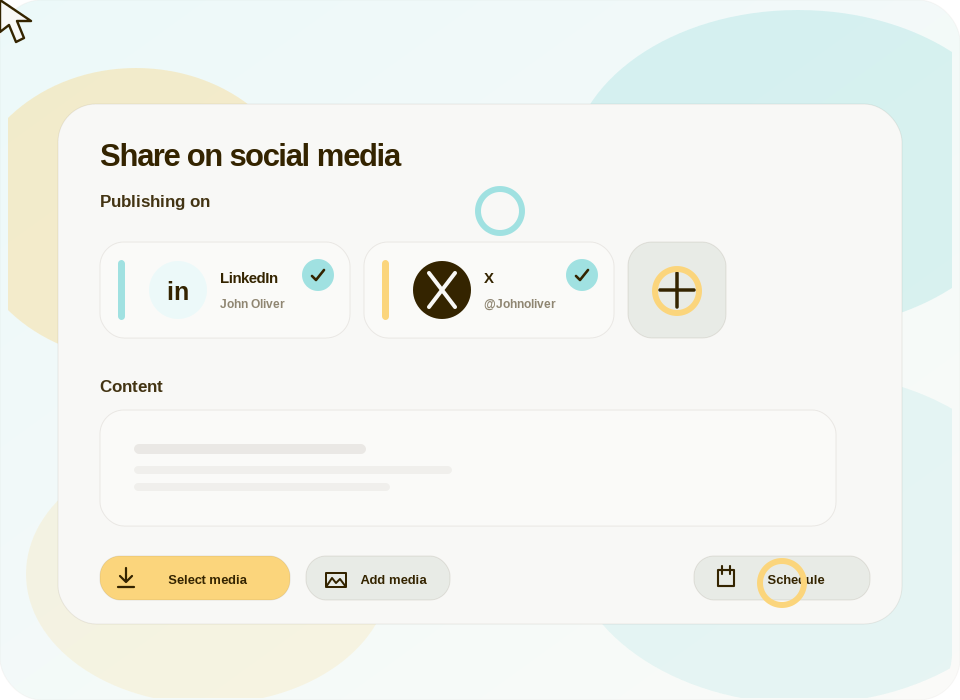
On the Professional plan, connect LinkedIn, then post a clip straight away or schedule it. The same plan publishes to TikTok, Instagram, YouTube, Facebook and X. On the Free Trial and Starter plans you export the file and post it yourself.

Social Publishing and Scheduling

I have been using Recast for the past couple of months and it has changed how I repurpose my video and podcast content. Before starting to use Recast my turn around time to repurpose content was weeks and at times months but now I can have my clips up and ready hours after an event or recording is done. The clips have allowed us to push traffic to our long content with ease as we can post the clips on any social media platform as a teaser with the link to the full content attached.


Robert

Robert

Customer

What a month of LinkedIn clips costs

Recast counts 1 credit for each minute of recording you upload. Prices are in USD, from the Recast pricing page, billed monthly unless stated.

Free Trial: one recording, a few test clips

60 credits, one time, cover one recording of up to 60 minutes. Each exported clip can be up to 1 minute long and the trial allows 5 minutes of exported video per month, which is five one-minute clips at most. They carry a watermark. That is enough to judge the clips on your own footage before you pay.

Starter, $17 a month: 150 credits

Example month: one 60-minute webinar and two 45-minute podcast episodes. 60 + 45 + 45 = 150 credits, the whole allowance. The webinar's share of the bill is $17 × 60 ÷ 150 = $6.80. Keep five clips from it and each has cost $1.36. Keep three and each has cost $2.27. You export the files and upload them to LinkedIn yourself.

Professional, $37 a month: 360 credits

Example month: a weekly 45-minute podcast (4 × 45 = 180 credits), two 60-minute webinars (120) and one 60-minute customer interview (60). 180 + 120 + 60 = 360 credits. Each 60-minute recording's share is $37 × 60 ÷ 360 = $6.17, and each 45-minute episode's is $4.63. This is the plan that posts or schedules to LinkedIn from inside Recast.

What changes the sum

Exported video has its own monthly limit: 300 minutes on Starter and 600 on Professional, with a single export of up to 15 and 60 minutes. Billed yearly, Starter is $170 for 1,800 credits upfront and Professional is $310 for 4,320, which brings a 60-minute recording to $5.67 and $4.31. The cost per clip depends on how many you keep, and Recast does not promise a number. The time your team spends reviewing and posting is not in these figures.

LinkedIn video clips FAQs

Short answers about making and posting LinkedIn clips with Recast.

What is the best aspect ratio for LinkedIn video? +

LinkedIn does not name one. Its help pages accept any aspect ratio from 1:2.4 to 2.4:1, which covers widescreen 16:9, square 1:1 and vertical 9:16. Choose by the footage: a two-person interview or a screen share usually fits 16:9 or 1:1, and a single speaker fits 1:1 or 9:16, which also take up more of a phone screen than widescreen does. Recast exports all three from the same clip, so you can post one and compare it with another.

What is the maximum length of a LinkedIn video? +

LinkedIn's help pages give 15 minutes for a video a member shares and 10 minutes for a video on a LinkedIn Page, with a 5 GB file size limit for both. The shortest is 3 seconds, or 2 seconds from the mobile app for a member. These were read on LinkedIn's help pages on 25 November 2026. A clip built on one point is normally far shorter than either limit.

Do captions matter on LinkedIn video? +

Yes. LinkedIn's help says some videos may play automatically without sound as you scroll through your feed, so a clip without captions can pass by unread. LinkedIn offers auto captions for members and Pages and lets you attach an SRT file on desktop. Recast burns captions into the exported video, so they show for every viewer without either of those.

Can I schedule LinkedIn posts from Recast? +

On the Professional plan, yes: you can post a clip to LinkedIn or schedule it from inside Recast. On the Free Trial and Starter plans you export the file and upload it yourself, and you can schedule the post in LinkedIn. It works for both personal profiles and company Pages.

Should clips go on the company Page or a personal profile? +

They are separate posts and many teams use both. A member post goes out under one person's name and can be up to 15 minutes long. A Page post needs a super admin or content admin of the Page and can be up to 10 minutes long. A common pattern is for the Page to post the clip and for the speaker to share it or post their own copy with a line in their own words. An exported file from Recast can be uploaded to either.

How many LinkedIn clips can I get from one webinar? +

It depends on the webinar. Recast suggests moments as clip drafts and does not promise a number, because a session with a lively Q&A holds more usable moments than one where a presenter reads slides. You review the suggestions and keep the ones that stand on their own. A 60-minute webinar uses 60 credits however many clips you keep.

What does it cost to make LinkedIn clips with Recast? +

Recast counts 1 credit per upload minute. Starter is $17 a month for 150 credits, for example one 60-minute webinar and two 45-minute podcast episodes. Professional is $37 a month for 360 credits, for example four 45-minute episodes and three 60-minute recordings, and it adds posting and scheduling to LinkedIn from inside Recast. On Starter a 60-minute recording's share of the bill is $6.80. On Professional it is $6.17.

Is there a free trial, and do its clips have a watermark? +

Yes to both. The Free Trial includes 60 credits, one time, which covers one recording of up to 60 minutes. A longer recording cannot be partly processed on the trial. Each exported clip can be up to 1 minute long, with 5 minutes of exported video per month, and exports carry a watermark. Exports on the Starter and Professional plans have no watermark.

Can I make a LinkedIn clip from an audio-only podcast? +

Yes. Upload the audio and make an audiogram: a video with a moving waveform, captions from the transcript and your cover art or logo. It exports in vertical, square or widescreen, all of which LinkedIn accepts.

Can Recast write the text of the LinkedIn post? +

It can draft it. Recast generates LinkedIn posts and other social posts from the transcript on every plan, and custom prompts are available on Starter and Professional. Treat the result as a draft and rewrite the first line in your own words before you post.

Does Recast record webinars or stream to LinkedIn Live? +

No. Recast does not record, host or stream. You record with your webinar, podcast or meeting tool, then bring the recording to Recast as a file or a YouTube link.

Ready to Transform Your Content?

Your content is ready. Are you?

Join thousands of marketers turning long videos into daily growth.

Get Started for Free