Type something to search...

Riverside Alternative for Repurposing Recast Studio vs Riverside: a recording studio and a repurposing tool

Riverside is a recording platform. It records podcasts, interviews and webinars on each person's device in up to 4K, with a separate track for every speaker, streams live, and makes clips and show notes from the result. Recast Studio does not record. It takes a finished recording, from Riverside or anywhere else, and turns it into captioned clips, audiograms and written drafts. This page shows where each one is the better choice, and when Riverside's own clips are enough.

Try Recast Free

60 free credits, one time • No credit card required • 1 credit = 1 upload minute

What Recast Studio makes from a recording you already have

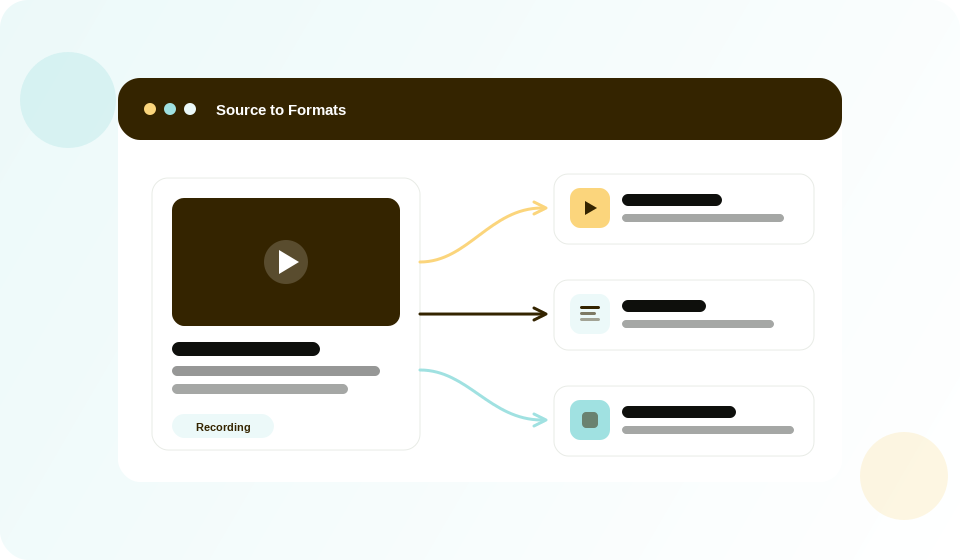
Download the finished file from Riverside, or take a recording from any other source, and upload it once. These are the video formats that come out. Show notes, summaries, blog drafts and social posts are written from the same transcript.

Sample outputs in the formats Recast exports. Yours are cut from your own recording, with your captions and brand styling.

Riverside or Recast Studio: mostly different kinds of product

Riverside is where a recording gets made. Recast Studio is what you use on a recording once it exists. They overlap on one job only: turning a long recording into clips, captions and written text. So the real question for most teams is not which one to pick, but whether Riverside's own repurposing is enough.

What Riverside is

Riverside is a recording platform for podcasts, video interviews and webinars. Each participant is recorded on their own device, in up to 4K video and 48kHz audio, with a separate track per person and up to 10 people in a session. Guests join from a link, with nothing to install. Riverside also streams live in up to 1080p, hosts webinars with registration, Q&A and polls, hosts podcasts, and has a text-based editor.

It repurposes the recording as well. Magic Clips picks highlights and turns them into captioned clips. AI Show Notes writes a summary, takeaways and chapters with timestamps. Its AI Co-Creator drafts blog posts and social posts. Riverside's site says these tools also work on a file you upload. Its own pages address podcasters, producers and marketers who want one tool from the recording to the finished clip.

Where Riverside is the better choice

  • You need to record, with remote guests
  • You want separate tracks in up to 4K
  • You stream live or host webinars
  • You want one tool from recording to clips
  • Everything you repurpose is recorded there
  • You process many hours every month

If one of these describes you, use Riverside. Recast Studio does not record, stream or host anything. Riverside's paid plans also list unlimited recording and transcription hours, while Recast counts every minute you upload.

Where Recast Studio fits

  • The recordings already exist
  • They come from more than one place
  • You want audiograms as well as clips
  • You want a lower entry price
  • You want to test without a card

Recast fits when recording is already taken care of. A webinar platform export, a Zoom call, an older episode or a YouTube video all go in the same way, as a file or a YouTube link. Out come clips in 16:9, 9:16 and 1:1, audiograms, captions, show notes, summaries, blog drafts and social posts.

Riverside's editor accepts uploaded files too, so this is a question of cost and focus, not of whether it can be done. If you never record in Riverside, its plans include a studio you will not use. Recast charges only for the minutes you upload, at a published rate of 1 credit per minute. Starter is $17 a month for 150 credits. Riverside's pricing page showed Pro at $29 a month when we checked it on 25 November 2026.

Using both, and when not to

Many teams could use both, and many will not need to. If you record in Riverside, try Magic Clips and AI Show Notes first: they are part of the plan you already pay for. Add Recast only if those outputs do not cover what you need. Reasons that come up: audiogram templates for audio-only episodes, your own fonts on the captions (Riverside lists custom fonts on its Business plan only), or one place to repurpose recordings that come from Riverside and from elsewhere. To use both, download the finished recording from Riverside and upload the file to Recast.

Recast is software your team runs, not a done-for-you service, and posting straight to social channels needs its Professional plan.

Riverside vs Descript

Both record, and both let you edit by changing the transcript. Riverside's site leads with recording: local recording in up to 4K, separate tracks, live streaming and webinars. Descript's site leads with editing: it describes itself as an AI video and audio editor that you edit by editing text, with multitrack audio and an AI editor called Underlord. Choose Riverside if capture quality, live shows or webinars matter most, and Descript if editing whole episodes is the main job. For how Recast compares with Descript, see the Descript comparison.

Other comparisons

All comparisons are listed on the alternatives page. The closest ones to this page are Descript, Opus Clip, Vizard AI, Goldcast and Castmagic. If your recordings are webinars, the webinar repurposing page works out what a 60 or 90 minute webinar costs.

Recast has saved us an enormous amount of time. We were spending hours repurposing our podcast content and writing show notes. We can now focus more time and energy into conceptualizing new podcast content.


Jeni McPherson

Jeni McPherson

Customer

Riverside alternatives for marketing teams: three questions before you add a second tool

A marketing team rarely needs a second recording studio. It needs the assets that promote the recording, made by someone who is not a video editor. These three questions decide whether Riverside alone covers that.

Where do your recordings come from?

Where do your recordings come from?

If every recording is made in Riverside, start with its own tools. If they arrive from several places, one tool that takes any file keeps the clips and captions looking the same.

  • Webinar platform exports
  • Zoom calls and customer interviews
  • Older podcast episodes
  • Videos that are already on YouTube
Who makes the clips?

Who makes the clips?

Often it is a marketer, not the producer who ran the recording. Recast works from the exported file, so that person does not need access to the recording studio.

  • AI suggests the clips; you keep the ones worth posting
  • Trim a clip by deleting transcript text
  • Auto Reframe for vertical and square formats
  • AI filler word and silence removal
What do you need besides clips?

What do you need besides clips?

Clips are one output. A campaign usually needs the copy and the audio-only assets too, in the brand's own styling.

  • Audiograms for audio-only episodes
  • Show notes, summaries, blog drafts and social posts
  • Custom font upload on every plan
  • Post or schedule to TikTok, Instagram, YouTube, Facebook, LinkedIn and X on the Professional plan

Riverside vs Recast Studio

Riverside features, limits and prices are from riverside.com, checked on 25 November 2026. Its pricing page showed US dollar prices when viewed from India, and a Riverside article updated in September 2026 lists a higher Pro price ($35 a month) for the US, UK, Canada, Australia and the euro area, so check the price shown for your country. Recast Studio figures are from the Recast pricing page.

What it is

Riverside
A recording studio with live streaming, webinars, an editor, podcast hosting and AI repurposing
Recast Studio
A repurposing tool: clips, audiograms, captions and written drafts from a finished recording

Recording

Riverside
✅ Local recording in up to 4K video and 48kHz audio, a separate track per participant, up to 10 people in a session
Recast Studio
❌ None. You bring a finished recording

Live streaming and webinars

Riverside
✅ Live streaming on Grow and above. Webinar registration, Q&A and polls on the Webinar plan
Recast Studio
❌ None. Recast does not host or run events

What you start from

Riverside
A session recorded in Riverside, or a file you upload
Recast Studio
Any recording file you upload, or a YouTube link. Up to 3 hours per recording on paid plans

AI clips

Riverside
Magic Clips picks the highlights. You can set clip length and a focus speaker or keywords
Recast Studio
AI Clip Generator suggests the clips. You trim them by deleting transcript text

Aspect ratios

Riverside
Vertical, widescreen and ratios in between, with presets for YouTube, TikTok and Instagram
Recast Studio
16:9, 9:16 and 1:1, with Auto Reframe to keep the speaker in the frame

Captions and transcription

Riverside
Animated captions with font, colour, size and placement controls. Transcription in 100+ languages
Recast Studio
Animated captions on every plan. Transcription in 20+ languages

Audiograms

Riverside
Its audio editor page says you can create a visual audiogram from a recording
Recast Studio
Audiogram templates with a waveform and captions, in vertical, square and widescreen

Written outputs

Riverside
AI Show Notes with a summary, takeaways and timestamped chapters. Blog posts and social posts through its AI Co-Creator
Recast Studio
Show notes, summaries, blog drafts and social posts on every plan. Custom prompts on paid plans

Brand styling

Riverside
Brand kit and saved caption presets on every paid plan. Custom fonts on the Business plan only
Recast Studio
Custom font upload on every plan. Logo and reusable brand templates

Publishing

Riverside
Pro publishes to YouTube, Spotify, Apple, Instagram, LinkedIn and more. Social scheduling starts on Grow
Recast Studio
Post or schedule to TikTok, Instagram, YouTube, Facebook, LinkedIn and X on Professional only. On other plans you export the files

Pricing model

Riverside
Flat monthly plans. Recording and transcription hours are listed as unlimited. AI credits apply to some features, such as translation and AI B-roll
Recast Studio
Credits: 1 credit = 1 minute of uploaded recording

Entry paid plan

Riverside
Pro: $29 a month, or $24 a month billed annually ($288 a year)
Recast Studio
Starter: $17 a month, or $170 a year. 150 credits a month

Next plan up

Riverside
Grow: $39 a month, or $34 a month billed annually. Adds live streaming and social scheduling
Recast Studio
Professional: from $37 a month, or $310 a year. 360 credits a month, adds direct social publishing

Plan for hosting webinars

Riverside
Webinar: $99 a month, or $79 a month billed annually, up to 100 registrants. Business, at a custom price, up to 10,000
Recast Studio
❌ Not offered

Volume on the entry plan

Riverside
Unlimited recording and transcription hours. 15 hours of separate track downloads a month
Recast Studio
150 upload minutes (2.5 hours) and 300 export minutes a month

Free plan or trial

Riverside
No free plan on the pricing page. A 14-day free trial of Pro, Grow or Webinar. Riverside's article on the trial says a credit card is needed to start it
Recast Studio
Free Trial: 60 credits, one time, no credit card. Covers one recording of up to 60 minutes

Limits before you pay

Riverside
The trial lasts 14 days with the features of the plan you pick, then becomes a paid subscription unless you cancel
Recast Studio
5 export minutes a month, 1 minute per exported video, files stored for 7 days

Watermark

Riverside
None on paid plans. Riverside's article says trial exports have none either
Recast Studio
⚠️ On Free Trial exports. None on Starter or Professional
✅ Supported ❌ Not supported ⚠️ Partial / Limited

Start from the file, wherever it was recorded

A session recorded in Riverside, a webinar platform export, a Zoom call and an older episode all reach Recast the same way: as a file you upload, or as a YouTube link.

AI Clip Generator

Recast transcribes the recording and suggests the moments worth clipping. You keep the ones you want and drop the rest. Each minute you upload uses 1 credit, and a recording can be up to 3 hours long on paid plans.

Change a clip by editing its transcript

The person cutting the clips is often not the person who ran the recording. They should not need a timeline editor to shorten a quote.

Text Based Editing

Delete words in the transcript and the video is cut to match, with the captions kept in sync. Filler words and long silences can be removed automatically. This is included on every plan, including the Free Trial.

Written drafts from the same upload

The transcript that produces the clips also produces the copy that goes out with them, so the episode page and the social posts say what the speakers said.

Show notes, summaries, blog drafts and social posts

These are included on every plan, and custom prompts are included on Starter and Professional. Each one is a draft: someone on your team edits it before it is published.

I've been using Recast for around 3 months now and it has made my life so much easier! I am able to quickly create all the supporting content needed for every podcast episode, including show notes, summaries, timestamps, social media posts and blogs. Their customer support is also fantastic, very quick to respond.


J

Julia Tabone

Customer

From Days to Minutes. Reimagine Your Workflow

Recast replaces fragmented tools with one workflow for editing videos, creating social assets, and generating written content.

The Old Way

Traditional workflow

Watch full recording to find moments 2-4 Hours
Send clips to editor with instructions 30 Min
Wait for first draft 2-3 Days
Request revisions & wait again 1-2 Days
Export & upload to each platform 1-2 Hours
Total time: 4-6 Days
Production cost: $2000-$5000

The Recast Way

Streamlined with AI

Upload your video to Recast 2 Min
AI finds the best moments automatically 3 Min
Review & customize your clips 5 Min
Publish to social or export with one click 1 Min
Total time: ~10 Minutes
Production cost: From $17/mo
Trustpilot

Without a doubt the best AI software out there. I used to pay somebody $1200 a month to repurpose my material and it rarely came out like I wanted. This tool allows me to take one of my video podcast and the software does the rest. Amazing how good it is at dividing up the content and then cutting it into great looking templates to load on social media. I now have a years worth of posts and it only took me a few hours. Buy it!


Brian Sullivan
Brian Sullivan

CSP - Founder - PRECISE Selling

Ready to Transform Your Content?

Your content is ready. Are you?

Join thousands of marketers turning long videos into daily growth.

Get Started for Free

What Recast costs for a show you record in Riverside

Recast counts 1 credit per minute of uploaded recording, so you can work out the cost before you sign up. Recast prices are in USD from the Recast pricing page, billed monthly.

A weekly 30-minute podcast

Four episodes of 30 minutes are 120 credits a month. Starter, at $17 a month with 150 credits, covers them with 30 credits left, which is $4.25 an episode. A month with five episodes uses all 150.

A weekly 45-minute interview show

Four episodes of 45 minutes are 180 credits, more than Starter's 150. Professional, at $37 a month with 360 credits, covers them with 180 credits left, which is $9.25 an episode. Three episodes a month (135 credits) fit on Starter.

One 60-minute webinar a month

One webinar is 60 credits. Starter covers it with 90 credits left for other recordings. The Free Trial's 60 one-time credits cover the first one, with a watermark on exports, a 1-minute limit per exported video and 5 export minutes in the month.

Both subscriptions together

Riverside Pro at the $29 a month its pricing page showed, plus Recast Starter at $17, is $46 a month. Before paying for both, check whether Magic Clips and AI Show Notes already do the job: Riverside includes them in its paid plans and says Magic Clips does not use AI credits.

Riverside alternative: common questions

Is Riverside free? +

Not as an ongoing plan, as far as its pricing page shows. On 25 November 2026 the page listed four plans (Pro, Grow, Webinar and Business) and a 14-day free trial of the first three. A Riverside article updated in September 2026 says the free plan was replaced by that trial, that a credit card is needed to start it, and that it becomes a paid subscription on day 15 unless you cancel. Some other pages on Riverside's site still mention a free plan, so check what the sign-up page offers you.

Does Riverside make clips? +

Yes. Riverside's Magic Clips picks the highlights of a recording and turns them into short captioned clips, with presets for YouTube, TikTok and Instagram and controls for clip length, layout and a focus speaker. It is included in Riverside's paid plans, and Riverside says it also works on a video you upload. If your recordings are made in Riverside, try Magic Clips before adding any other clip tool.

Can I use Recast with Riverside recordings? +

Yes. Download the finished recording from Riverside as a file and upload it to Recast. Recast transcribes it and makes clips, audiograms, captions, show notes and blog drafts from it. Each minute you upload uses 1 credit, and a recording can be up to 3 hours long on paid plans.

Do I need a separate repurposing tool if I record on Riverside? +

Often not. Riverside's paid plans include Magic Clips, AI Show Notes, animated captions and an AI Co-Creator that drafts blog posts and social posts. A second tool makes sense if those outputs do not cover what you need, or if many of your recordings come from somewhere other than Riverside and you want them all to go through one workflow with the same brand styling.

Riverside vs Descript: which one should I choose? +

Both record and both edit by transcript. Riverside's site leads with recording: local recording in up to 4K with separate tracks, live streaming and webinars. Descript's site leads with editing: a text-based video and audio editor with multitrack audio and an AI editor called Underlord. Choose Riverside if capture quality, live shows or webinars matter most, and Descript if editing whole episodes is the main job. Our comparison of Recast and Descript is at recast.studio/alternatives/descript-alternative.

What is the best Riverside alternative for repurposing? +

It depends on what you would use Riverside for. If you need to record, Recast Studio is not an alternative, because it does not record. If you already have the recordings and only need the clips, audiograms, captions and written drafts, Recast is built for that part: it takes any recording file or a YouTube link and charges 1 credit per upload minute, from $17 a month for 150 credits. If you mainly want to edit full episodes, a text-based editor such as Descript is closer to what you need.

How much does it cost to run a Riverside recording through Recast? +

Recast counts 1 credit per minute of uploaded recording. A 45-minute episode uses 45 credits and a 60-minute webinar uses 60. Starter is $17 a month for 150 credits, which covers three 45-minute episodes (135 credits) or two 60-minute recordings with 30 credits left. Professional is $37 a month for 360 credits, which covers a weekly 45-minute show (180 credits) with 180 credits left.

Is Recast cheaper than Riverside? +

The entry price is lower, but the two prices do not buy the same thing. Recast Starter is $17 a month ($170 a year) for 150 credits, which is 2.5 hours of uploaded recording. Riverside's pricing page showed Pro at $29 a month ($288 a year billed annually) on 25 November 2026, and that includes the recording studio, podcast hosting and unlimited transcription. If you need to record, or you repurpose many hours a month, Riverside gives you more for the money. If you only repurpose a few hours of finished recordings, Recast costs less.

Does Recast record podcasts, interviews or webinars? +

No. Recast does not record, stream or host anything. It starts from a recording that already exists, as a file you upload or a YouTube link. If you need remote recording with separate tracks, live streaming or webinar registration, Riverside includes them.

Can I try Recast before paying, and are the exports watermarked? +

Yes to both. The Free Trial includes 60 credits, given once, with no credit card. That covers one recording of up to 60 minutes; a longer recording cannot be partly processed on the trial. Trial exports carry a watermark, each exported video can be up to 1 minute long, and you can export 5 minutes of video in the month. Exports on the Starter and Professional plans have no watermark.

Ready to Transform Your Content?

Your content is ready. Are you?

Join thousands of marketers turning long videos into daily growth.

Get Started for Free