Type something to search...

Goldcast Alternative for Repurposing Recordings Recast Studio vs Goldcast Content Lab, compared row by row

Goldcast is a B2B video platform for webinars, virtual events, recording and repurposing. Content Lab is the part of it that turns long recordings into clips, blog posts, social posts and emails, and it has its own free plan. Recast Studio does only the repurposing part: you bring a recording made on any platform and get captioned clips and written drafts, at a published rate of 1 credit per minute.

Try Recast Free

60 free credits, one time • 1 credit = 1 upload minute • Billed monthly or annually

The repurposing part, without the event platform

Recast Studio takes a webinar, podcast or interview that has already been recorded and returns clips in the shapes social channels use, each with captions, plus audiograms for audio-only recordings.

Webinar clip, 16:9
Vertical clip, 9:16
Audiogram, 1:1
Square clip with captions, 1:1

Sample outputs in the formats Recast Studio exports. Yours are cut from your own recording, with your captions, logo and fonts.

Goldcast vs Recast

Goldcast Content Lab or Recast Studio: which one fits the job

Goldcast and Recast Studio overlap on one job: turning a long recording into clips and written content. Goldcast also sells the platform the recording is made on. Recast Studio does not, and that difference decides most of this comparison.

What Goldcast is

Goldcast describes itself as an AI-first video content platform for B2B videos, webinars and events. Its site lists four products: Goldcast Events for webinars, virtual events and field events, Recording Studio for local HD recordings of podcasts and interviews, Goldcast Agents for AI workflows, and Content Lab. The site is written for B2B marketing teams, with separate pages for demand generation, event and field marketing, content and marketing operations.

What Content Lab is

Content Lab is Goldcast's repurposing product. You upload a long video directly or by link, such as a webinar, podcast, customer interview or keynote. It produces clips, social posts, blog posts with video clips inline, emails, key takeaways and a transcript. Goldcast also lists transcript-based editing, automatic captions in several styles, audiograms, branded templates, an AI-trained brand voice and search across your video library. For a webinar hosted on Goldcast Events, Goldcast says the repurposed assets are generated automatically when the event ends.

Can you use Content Lab on its own?

As far as Goldcast's site states: the plans page lists Content Lab as its own product with a free sign-up, while Events, Recording Studio and custom bundles each lead to a demo request. The free plan is described as free forever and includes 1 hour of uploaded video per month. No paid price is published for any Goldcast product, and the pricing FAQ says all paid subscriptions are billed annually. What Content Lab costs above the free plan is a question for Goldcast's sales team.

Where Goldcast is the better choice

  • You need a platform to host webinars or virtual events
  • Your webinars already run on Goldcast Events
  • You need SSO, custom permissions and custom reports
  • You want event data in Salesforce, HubSpot, Marketo or Eloqua
  • You want to search a whole video library by topic
  • You repurpose one hour of video a month or less

If any of the first four is a requirement, Recast Studio is not a substitute. It has no event hosting, and its pricing page lists none of those enterprise features. And if one hour a month covers your needs, Goldcast's free plan costs less than any paid plan here.

Where Recast Studio fits

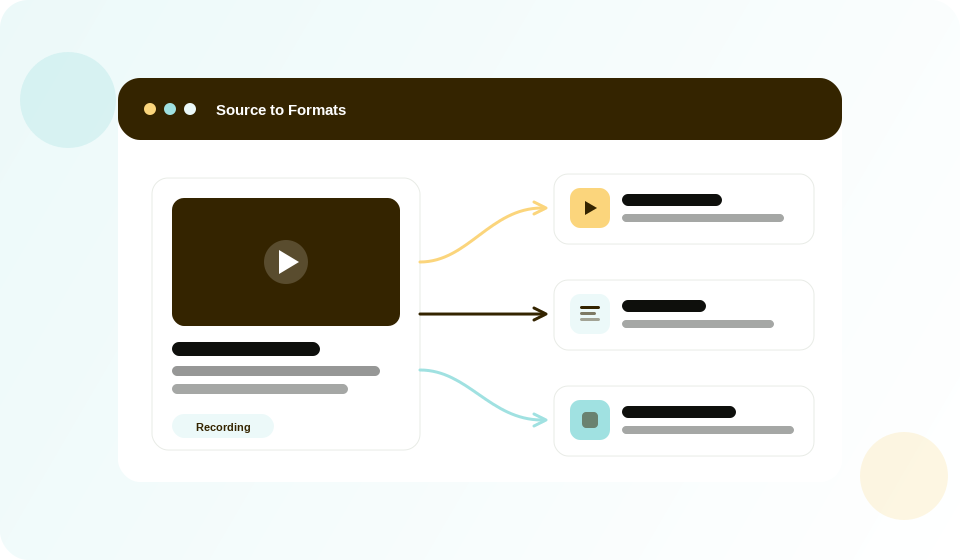
Recast Studio starts from a recording you already have, whichever platform it was made on. You upload the file or import the video from YouTube. You get clips in 16:9, 9:16 and 1:1 with animated captions, audiograms, and drafts of a blog post, show notes, a summary and social posts.

The price is published: 1 credit per minute of uploaded recording, on plans billed monthly or annually. A 60-minute webinar uses 60 credits. That is $8.50 on Starter ($17 a month for 150 credits) and about $6.17 on Professional ($37 a month for 360 credits) when you use all the credits.

  • Your recordings come from more than one platform
  • You repurpose more than one hour a month
  • You want a published price you can pay monthly
  • You want to post or schedule clips from the same tool
  • You do not need an events platform

What Recast Studio does not do

Recast Studio is software your team runs, not a done-for-you service. It does not record, host or run events. Posting and scheduling to TikTok, Instagram, YouTube, Facebook, LinkedIn and X is on the Professional plan only; on the Free Trial and Starter you export the files and post them yourself. The Free Trial is 60 credits, given once, and its exports carry a watermark.

Other comparisons

Goldcast's own compare hub sets it against Zoom, Sequel.io, GoTo Webinar and BigMarker as well as Opus Clip, Descript and Riverside, so buyers weigh it against both webinar platforms and clip tools. For the clip tools, see the comparison hub or go straight to Vizard AI, Opus Clip, Descript, Castmagic and Riverside. For the full webinar workflow and the cost of a 90-minute webinar, see webinar repurposing.

Twitter
0

Compared Opus Clip, castmagic and @recast_studio to break down long webinars, audio in a variety of formats and the third one did best at pulling the exciting highlights and a clean, professional look we need!


Goldcast alternatives for marketing teams: three questions that settle it

A marketing team choosing between Goldcast Content Lab and a standalone repurposing tool is answering three questions. None of them is about clip quality, which you can only judge by running your own recording through both.

Where do your recordings come from?

Where do your recordings come from?

If your webinars run on Goldcast Events, Content Lab is already attached: Goldcast says clips, social posts and blog posts are ready when the event ends. If your recordings come from other platforms, both tools start from an upload.

  • Goldcast Content Lab: direct upload or a link
  • Recast Studio: file upload or YouTube import
  • Recast Studio: recordings up to 3 hours long on paid plans
How much do you repurpose each month?

How much do you repurpose each month?

Volume decides the price comparison, because one side publishes a free allowance and the other publishes a rate.

  • Up to 1 hour a month: Goldcast's free plan covers it
  • Two 60-minute webinars a month: Recast Studio Starter, $17, so $8.50 each
  • Six a month: Recast Studio Professional, $37, so about $6.17 each
  • Goldcast above the free plan: price not published, billed annually
Who has to approve the tool?

Who has to approve the tool?

A purchase that goes through IT or procurement needs things Goldcast lists and Recast Studio's pricing page does not.

  • Goldcast: SSO, custom permissions, custom reports and team workspaces
  • Goldcast: states SOC 2 Type 2 and ISO certification
  • Recast Studio: a team workspace to invite teammates, share videos and leave feedback
  • Recast Studio: you subscribe from the pricing page, with no demo call

Goldcast Content Lab vs Recast Studio

Goldcast details are from goldcast.io (product, plans and comparison pages), checked on 25 November 2026. Recast Studio figures are from the Recast pricing page. Goldcast publishes no paid prices, so those cells say so.

What it is

Goldcast Content Lab
The repurposing product of Goldcast, a B2B platform that also sells event hosting and a recording studio
Recast Studio
A standalone repurposing tool. It does not record, host or run events

What you start from

Goldcast Content Lab
A long video uploaded directly or by link, or the recording of an event hosted on Goldcast Events
Recast Studio
A finished recording you upload, or a video imported from YouTube. Up to 3 hours long on paid plans

What you get out

Goldcast Content Lab
Clips, social posts, blog posts with inline video clips, emails, key takeaways, a transcript and audiograms
Recast Studio
Clips in 16:9, 9:16 and 1:1, audiograms, captioned videos and written drafts

Clips and captions

Goldcast Content Lab
AI clip generation, transcript-based editing, filler word removal, dynamic captions in several styles, AI-recommended layouts
Recast Studio
AI Clip Generator, Auto Reframe, text-based editing, AI filler and silence removal and animated captions, on every plan

Written outputs

Goldcast Content Lab
Blog posts, social posts, emails and key takeaways, written in an AI-trained brand voice
Recast Studio
Blog drafts, show notes, summaries and social posts on every plan. Custom prompts on Starter and Professional

Brand styling

Goldcast Content Lab
Branded templates, a brand kit and a brand voice for written content
Recast Studio
Your logo and fonts on clips, with custom font upload on every plan

Transcription languages

Goldcast Content Lab
Goldcast's own comparisons with Opus Clip and Descript mark multi-language transcription as not included. Its plans page lists multi-language support as an enterprise feature
Recast Studio
20+ languages on every plan

Publishing

Goldcast Content Lab
Goldcast's own comparison with Opus Clip marks a social media scheduler as not included
Recast Studio
Post or schedule to TikTok, Instagram, YouTube, Facebook, LinkedIn and X on the Professional plan only

Team features

Goldcast Content Lab
Sharing with teammates for approval. Enterprise features listed: team workspaces, SSO, custom reports and custom permissions
Recast Studio
A team workspace to invite teammates, share videos and leave feedback. No SSO or custom permissions on the pricing page

Events and webinar hosting

Goldcast Content Lab
✅ Goldcast Events hosts webinars, virtual events and field events. It is a separate product, sold through a demo
Recast Studio
❌ None

Recording

Goldcast Content Lab
✅ Recording Studio makes local HD recordings. It is a separate product, sold through a demo
Recast Studio
❌ None

Pricing model

Goldcast Content Lab
A free plan, then paid subscriptions that are billed annually only
Recast Studio
Credits: 1 credit = 1 minute of uploaded recording. Billed monthly or annually

Free tier

Goldcast Content Lab
Free plan, described as free forever: 1 hour of uploaded video per month
Recast Studio
Free Trial: 60 credits, one time. 5 export minutes a month, 1 minute per video, watermarked

Entry paid plan

Goldcast Content Lab
Not published; sales contact
Recast Studio
Starter: $17 a month, or $170 a year. 150 credits a month

Next plan up

Goldcast Content Lab
Not published; sales contact
Recast Studio
Professional: from $37 a month, or $310 a year. 360 credits a month, adds direct social publishing

Cost of one 60-minute webinar

Goldcast Content Lab
$0 if it is the only hour you upload that month. Above that, not published
Recast Studio
60 credits: $8.50 on Starter at two a month, about $6.17 on Professional at six a month
✅ Supported ❌ Not supported ⚠️ Partial / Limited

Create social clips without editing skills

Your team should not wait in a design queue to publish content.

Simple Video Editor Built for Marketers

Clip highlights, add captions, apply brand styles, and export in channel-ready formats, all in an interface anyone can use.

Trustpilot

HUGE fan of the Recast experience. It's so easy. I'm about to spend my whole afternoon making clips.


Arielle Nissenblatt
Arielle Nissenblatt

Head of Community & Content at SquadCast.fm

Edit video by editing text

Skip complex timelines and cut faster with transcript-based editing.

Transcript-Based Editing

Highlight and delete transcript text to trim video, clean filler words, and keep captions in sync automatically.

Trustpilot

Recast is super simple to use and gave me a professional-looking video within 1 minute. I'm excited to continue trying out new templates and seeing how these videos help our podcast grow!


Landon Bennett
Landon Bennett

Co-founder @Ad Reform

Turn the same recording into written content

Once your clip is ready, reuse the transcript to power your content engine.

AI Writing Inside the Editor

Generate blog drafts, show notes, LinkedIn posts, and email copy directly from your video or podcast without starting from scratch.

Squeeze every drop of value from your videos

Start Writing with AI

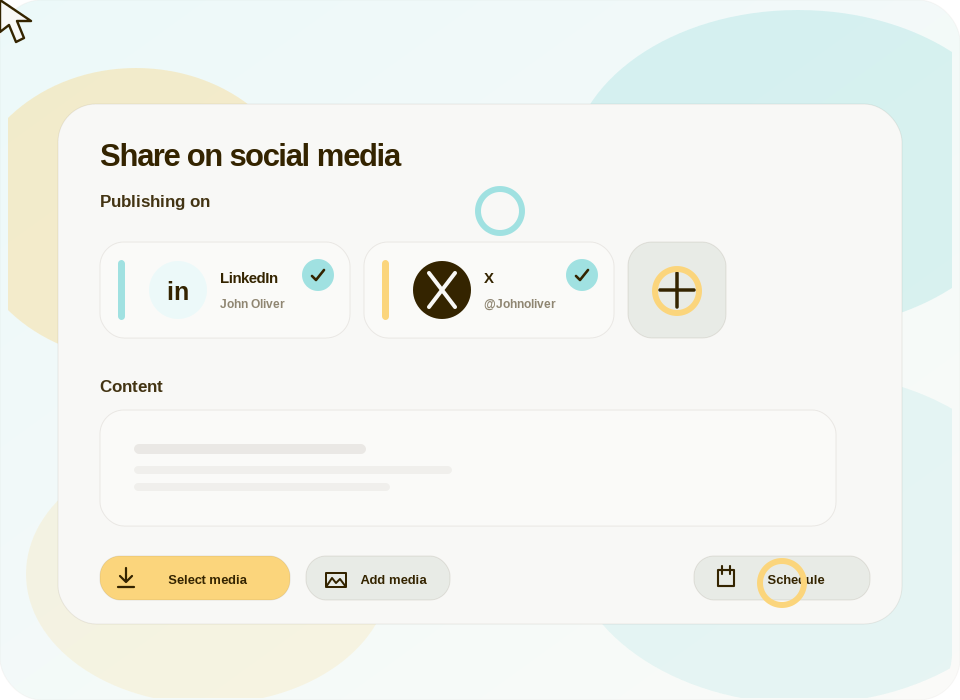
Publish to social media without leaving Recast

Stop downloading, re-uploading, and juggling scheduling tools. Post or schedule directly from the editor.

Built-In Social Publishing & Scheduling

Connect your TikTok, Instagram, YouTube, Facebook, LinkedIn, Twitter, and more. Post immediately or schedule for the perfect time — all without switching tabs.

Built-In Social Publishing & Scheduling

From Days to Minutes. Reimagine Your Workflow

Recast replaces fragmented tools with one workflow for editing videos, creating social assets, and generating written content.

The Old Way

Traditional workflow

Watch full recording to find moments 2-4 Hours
Send clips to editor with instructions 30 Min
Wait for first draft 2-3 Days
Request revisions & wait again 1-2 Days
Export & upload to each platform 1-2 Hours
Total time: 4-6 Days
Production cost: $2000-$5000

The Recast Way

Streamlined with AI

Upload your video to Recast 2 Min
AI finds the best moments automatically 3 Min
Review & customize your clips 5 Min
Publish to social or export with one click 1 Min
Total time: ~10 Minutes
Production cost: From $17/mo
Trustpilot

Without a doubt the best AI software out there. I used to pay somebody $1200 a month to repurpose my material and it rarely came out like I wanted. This tool allows me to take one of my video podcast and the software does the rest. Amazing how good it is at dividing up the content and then cutting it into great looking templates to load on social media. I now have a years worth of posts and it only took me a few hours. Buy it!


Brian Sullivan
Brian Sullivan

CSP - Founder - PRECISE Selling

Ready to Transform Your Content?

Your content is ready. Are you?

Join thousands of marketers turning long videos into daily growth.

Get Started for Free

What a 60-minute webinar costs to repurpose

Recast Studio counts 1 credit per minute of uploaded recording, so the sum is short. Goldcast publishes a free allowance and no paid price, so its side is stated only as far as its site goes. Prices are in USD.

Recast Studio Starter: $8.50

Starter is $17 a month for 150 credits. A 60-minute webinar uses 60 credits, so the plan covers two a month with 30 credits left: $17 ÷ 2 = $8.50 each. Billed annually it is $170 for 1,800 credits, which is 30 webinars at $5.67 each.

Recast Studio Professional: about $6.17

Professional is $37 a month for 360 credits, which covers six 60-minute webinars: $37 ÷ 6 = $6.17 each when every credit is used. Billed annually it is $310 for 4,320 credits, which is 72 webinars at $4.31 each. This is the plan that includes direct social publishing.

Goldcast Content Lab: free for the first hour

Goldcast's free plan includes 1 hour of uploaded video per month, so one 60-minute webinar a month costs nothing there, while Recast Studio Starter costs $17 for the same month. Above one hour, Goldcast publishes no price and bills paid subscriptions annually, so a cost per webinar cannot be worked out from its site.

Try both with the same recording

Recast Studio's Free Trial has 60 credits, given once, which is one 60-minute webinar. Its exports carry a watermark and each exported video can be up to 1 minute long. Goldcast's free plan takes one hour of video a month. Run the same webinar through both and compare the clips and the drafts before you pay for either.

Goldcast alternative: common questions

Goldcast answers are from goldcast.io, checked on 25 November 2026.

What is Goldcast Content Lab? +

Content Lab is the repurposing product of Goldcast, a B2B video platform that also sells event and webinar hosting (Goldcast Events) and a recording studio. You upload a long video or add it by link, and Content Lab produces clips, social posts, blog posts with inline video, emails, key takeaways and a transcript. Goldcast aims it at B2B marketing teams.

How much does Goldcast Content Lab cost? +

Goldcast does not publish paid prices. Its plans page shows a free sign-up for Content Lab and a demo request for Events, Recording Studio and custom bundles, and its pricing FAQ says all paid subscriptions are billed annually. For any price above the free plan you have to contact Goldcast.

Is there a free plan for Goldcast Content Lab? +

Yes. Goldcast describes it as free forever, and it includes 1 hour of uploaded video per month along with AI-generated clips, blog posts, social posts and emails, branded templates and caption and transcript editing. Recast Studio's free tier is smaller: 60 credits given once, with watermarked exports. For ongoing free use of up to an hour a month, Goldcast's plan is the more generous of the two.

Can you use Content Lab without Goldcast Events? +

Goldcast's plans page lists Content Lab as a separate product with its own free sign-up, and its repurposing page says you can upload any video directly or by link. The site does not publish a paid price for Content Lab on its own, so ask Goldcast how it is sold above the free plan.

What is a cheaper or simpler alternative to Goldcast for webinar clips? +

If one hour of video a month is enough, Goldcast's own free plan is the cheapest option. Above that, Recast Studio is a simpler tool with published prices: Starter is $17 a month for 150 credits and Professional is $37 a month for 360 credits, where 1 credit is 1 minute of uploaded recording. It makes captioned clips and written drafts from a recording made on any platform, and it has no events product to buy alongside.

How much does a 60-minute webinar cost to repurpose in Recast Studio? +

A 60-minute webinar uses 60 credits. Starter is $17 a month for 150 credits, which covers two webinars at $8.50 each. Professional is $37 a month for 360 credits, which covers six at about $6.17 each when you use all the credits. The Free Trial's 60 one-time credits cover one 60-minute webinar, with watermarked exports.

Can Recast Studio host a webinar? +

No. Recast Studio does not record, host or run events. It has no registration pages and no live room. You run the webinar on your webinar platform, then upload the recording file to Recast Studio or import it from YouTube. If you need the event platform itself, Goldcast Events does that and Recast Studio does not.

When is Goldcast the better choice? +

When you need to host webinars or virtual events, when your events already run on Goldcast so repurposing happens there automatically, or when the purchase needs SSO, custom permissions, custom reports and CRM or marketing automation integrations. Goldcast lists all of these. Recast Studio's pricing page lists none of them.

Does Recast Studio publish clips to LinkedIn and other channels? +

On the Professional plan you can post or schedule clips to LinkedIn, TikTok, Instagram, YouTube, Facebook and X from inside Recast Studio. On the Free Trial and Starter plans you export the clip and upload it yourself. Goldcast's own comparison with Opus Clip marks a social media scheduler as not included in Goldcast.

Is Recast Studio a service that repurposes webinars for you? +

No. Recast Studio is software your own team uses in a browser. The AI suggests clips and writes drafts, and someone on your team reviews, edits and publishes them.

Ready to Transform Your Content?

Your content is ready. Are you?

Join thousands of marketers turning long videos into daily growth.

Get Started for Free